- 13 -
3. Factory/Service OSD Menu and Adjustment
3.1 To enter the Factory OSD Menu
a. With factory RC (remote control)
1. Press “M” button and enter factory mode.
2. Press “Menu” button and enter factory OSD menu.
3. Press “CH+”/“CH-” button select the function menu, press “VOL+”/“VOL-” enter the selected
function menu. Press “VOL+”/“VOL-” button adjust values in the menu.
b. With user’s RC
1. Power TV On
2. Press Menu button and call up User OSD Menu
3. Select Audio-> Balance, when Balance is “0”
4. Enter 1->9->6->9 in sequence.
Note: If necessary, re-enter number keys.
5. Factory OSD appears.
6. Press Menu again and leave factory OSD.
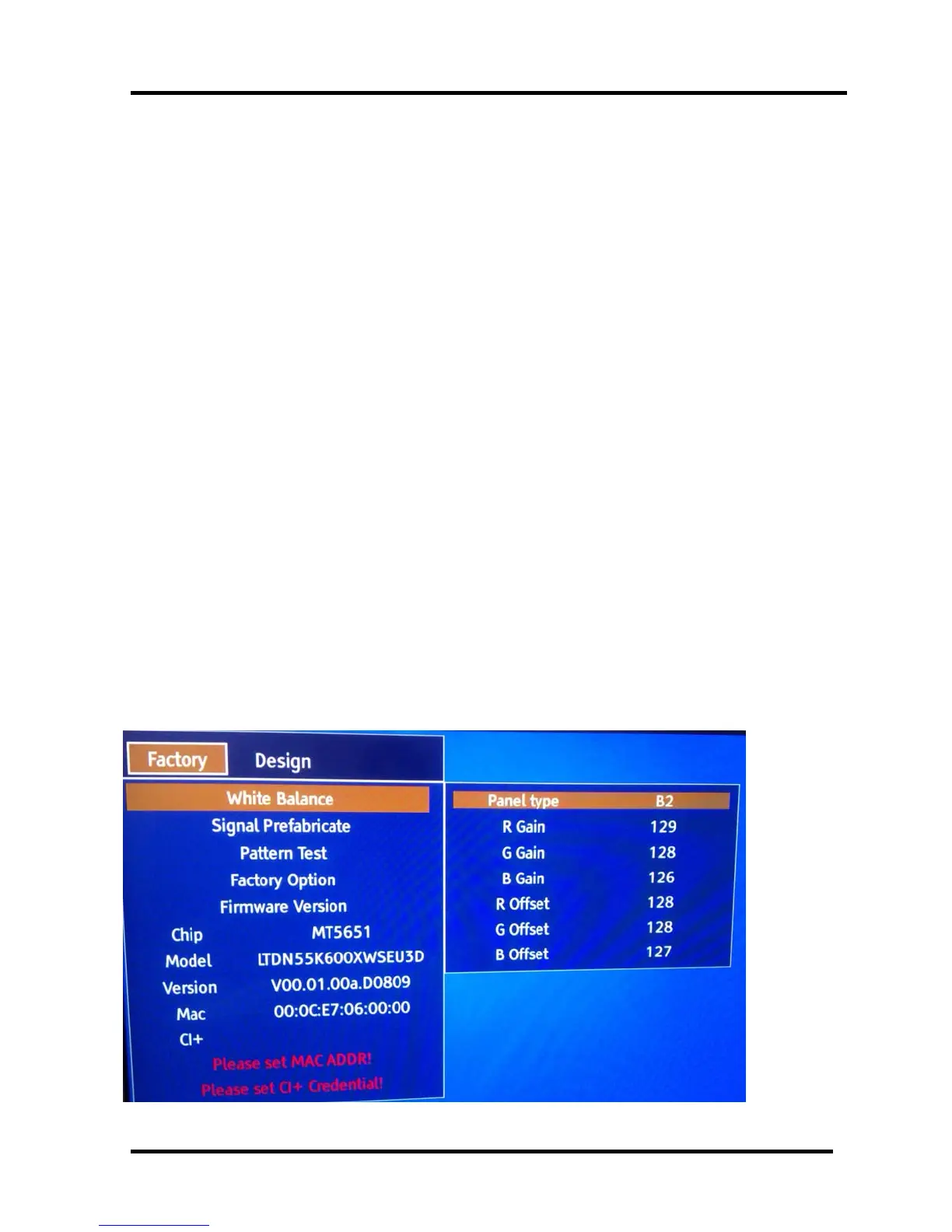
3.2 Factory OSD Menu
(Take LTDN55K600XWSEU3D for example)
3.2.1 White Balance
Note: Different source has different WB values. Before adjusting, please change to desired source.



 To Next Page