- 20 -
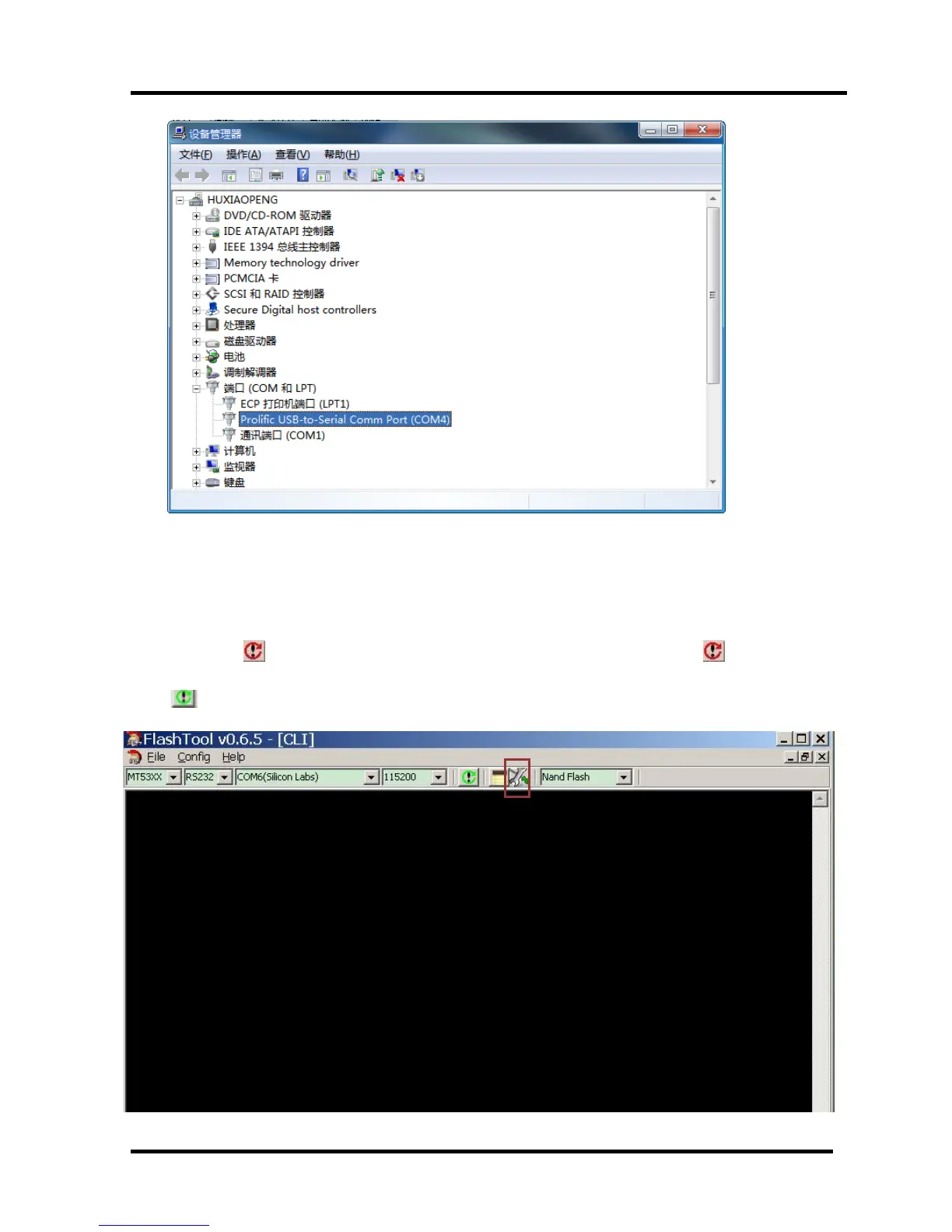
Open “Device Manager” and find which port is connected with the TV. In above picture, COM4
is connected to the TV, so, select “COM4” and if COM6 is connected to the TV, so select “COM6”.
Select the right baud rate according to chip model. For this unit( chip model is MT5651), select 115200.
2、 Click to connect,if connect successfully then button from red turn
green
.



 To Next Page