11
2.2
Using the Settings Menu
NOTE
The menus in the user manual may vary slightly from the actual screen.
2.3
Using the Picture Menu
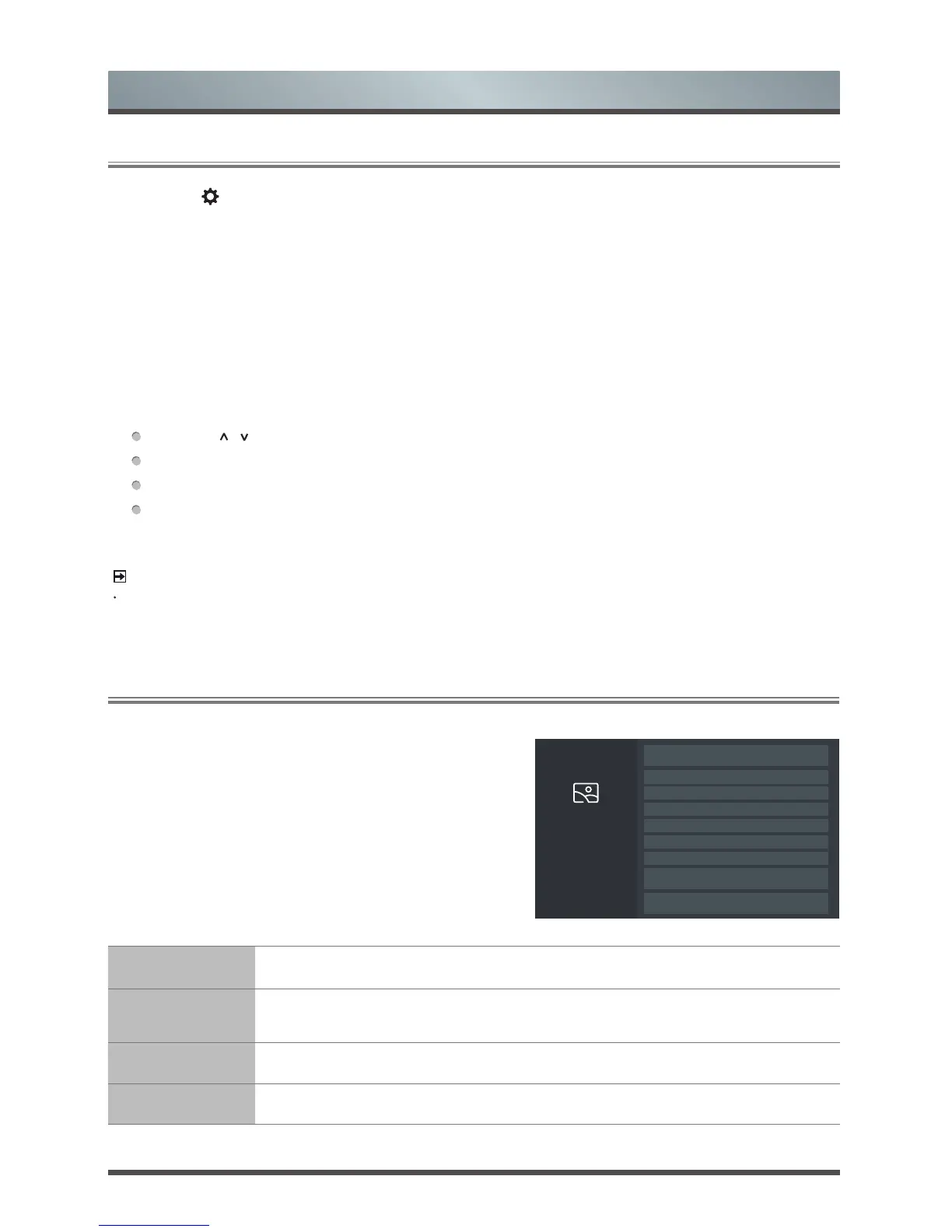
The picture setting allows the user to optimize the
output picture quality of the TV.
Picture Mode Select a preset picture mode to best suit the content you’re viewing.
Apply Picture
Settings
Adjust current picture mode to apply to all source or just current source.
Contrast Adjust the Contrast level to increase or decrease the brightness of images.
Brightness Adjust the Brightness level to generate lighter or darker images.
1.
Press the [
] button on your remote, press the [v] button on the remote to select Settings, and then press
the [OK] button to enter the Settings menu.
The Settings Menu consists of the following settings:
• Picture
• Sound
• Network
• Channels
• System
• About TV
2.
In each menu, you can:
Press the [
/
] buttons to select an item,
Press the [OK] buttons to enter the sub-menu or to set on or off,
Press the [< / >] buttons to adjust the value,
Press the [BACK] button to return to the previous menu.
3.
Press the [EXIT] button to exit the menu.
Select a preset picture mode to
best suit the content you’re
viewing.
Picture
Picture Mode: Standard
Apply Picture Settings
< Current Source >
•
Contrast
•
Brightness
•
Colour Saturation
•
Backlight
Aspect Ratio
Restore Default
Picture Settings
Advanced Picture Settings
Menu


 To Next Page