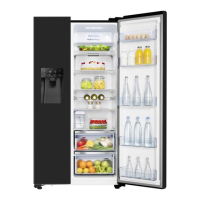
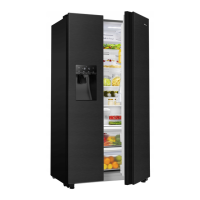
This document serves as the user's operation manual for Hisense refrigerators, specifically models RS694N4TIE and RS694N4TZE, emphasizing safety, installation, usage, and maintenance.
The primary function of this appliance is to refrigerate and freeze food items, offering various compartments with different temperature settings to optimize food preservation. It is designed for household and similar applications, including staff kitchen areas, hotels, motels, bed and breakfast environments, and catering.
Usage Features:
The refrigerator features a user-friendly control panel with several functions to manage temperature and operational modes. Upon initial power-on, the display panel icons illuminate, turning off after 60 seconds if no interaction occurs and doors are closed.
- Temperature Control: The control panel allows for setting average temperatures for both the fridge and freezer compartments. For optimal food preservation, it's recommended to set the fridge to 4°C and the freezer to -18°C initially.
- Fridge Temperature Control: Users can adjust the fridge temperature in a sequence from 8°C down to 2°C.
- Freezer Temperature Control: The freezer temperature can be adjusted in a sequence from -14°C down to -24°C.
- Special Modes:
- Super Cool: This function rapidly lowers the fridge temperature to 2°C for 3 hours, ideal for quickly cooling newly added items. It automatically switches off after 3 hours and reverts to the previous setting.
- Super Freeze: This mode quickly lowers the freezer temperature to -24°C, allowing for faster freezing of food to retain vitamins and nutrition. It's recommended to activate this at least 24 hours before placing fresh products in the freezer and automatically switches off after 52 hours.
- Holiday Mode: Designed for extended absences, this mode sets the fridge to 15°C and the freezer to -18°C to minimize energy consumption. The ice maker automatically turns off in this mode. It's important not to store perishable food in the fridge during Holiday mode.
- Energy Save Mode: When activated, this mode sets the fridge to 6°C and the freezer to -17°C to reduce energy consumption.
- Ice and Water Dispenser: The appliance includes an ice and water dispenser. Users can select between "Cubed" or "Crushed" ice and dispense water. The ice maker can be turned off via the "Ice Off" button to save energy. The dispenser will not operate if the freezer door is open or Child Lock is on.
- Water Storage Box: This box supplies water to the ice maker and dispenser. It needs to be refilled manually by pulling it out, lifting a small cover, and pouring potable water. The suggested volume is no more than 4.5L, and only water should be used. An alarm will sound if the water storage box is not correctly installed or is empty.
- Child Lock: Pressing and holding the "Alarm" button for 3 seconds locks the control panel and dispenser function, preventing accidental changes.
- Door Alarm: An audible and visual alarm activates if the fridge or freezer door remains open for more than 2 minutes, helping to conserve energy and maintain internal temperatures.
- Storage Compartments:
- Refrigerator Compartment: Suitable for vegetables, fruits, eggs, canned liquids, bottled drinks, and packed food. Glass shelves and door racks can be adjusted to different heights. Food should be packed to prevent moisture loss and flavor permeation.
- Freezer Compartment: Ideal for storing frozen foods like meat, fish, and ice cream. Bottles should not be left in the freezer for extended periods to prevent breakage due due to volume expansion.
- Drawers: Specific drawers are provided for fruits and vegetables.
Maintenance Features:
Regular maintenance is crucial for the appliance's longevity and hygienic operation.
- Cleaning:
- Exterior Cleaning: The digital and display panels should be wiped with a clean, soft cloth. Doors, handles, and cabinet surfaces can be cleaned with a mild detergent and soft cloth. Avoid abrasive cleansers, sharp objects, or organic solvents like Benzene.
- Interior Cleaning: The interior should be cleaned regularly, especially when food stocks are low. Drawers and shelves are removable for thorough cleaning. A weak solution of bicarbonate of soda followed by warm water rinse is recommended for the freezer interior. All surfaces and removable parts must be completely dry before reassembly.
- Water Storage Box Cleaning: The water storage box should be cleaned regularly by removing it, disassembling the cover, and wiping the inside with a weak bicarbonate of soda solution, then rinsing with warm water and finally with drinking water.
- Door Seals Cleaning: Door seals should be kept clean to prevent stickiness and tearing. Use a mild detergent and warm water, then rinse and dry thoroughly. The appliance should only be powered on once the seals are completely dry.
- Defrosting: The appliance automatically defrosts. However, if a thick layer of frost accumulates in the freezer due to frequent or prolonged door openings, it should be manually defrosted when the freezer is nearly empty. This involves removing food, unplugging the appliance, and leaving the doors open. Sharp objects should not be used to remove frost.
- Replacing LED Light: If the LED light is damaged, it must be replaced by a competent person. The manual provides steps for unplugging the appliance, removing the light cover, detaching the old LED light, and installing a new one.
- Adjusting Doors: If the doors are not level, the fridge door can be adjusted using a spanner on the lower hinge to raise or lower it.
- Moving the Appliance: When moving the refrigerator, the adjustable feet should be turned up to allow the appliance to roll freely, and then reinstalled when relocating.
- Extended Periods of Non-Use: If the appliance is to be switched off for a long period, all food should be removed, the power plug disconnected, the interior cleaned and dried, and the doors left slightly wedged open to allow air circulation and prevent mold.
- Water Dispenser Cleaning (for water dispenser products): Clean water tanks if not used for 48 hours; flush the water system connected to a water supply if water has not been drawn for 5 days. Food should be packed in bags, and liquids in bottles or capped containers to prevent cleaning difficulties.



 To Next Page
 General
 Weight and Dimensions