15 EN
Quick guide for menu
operation
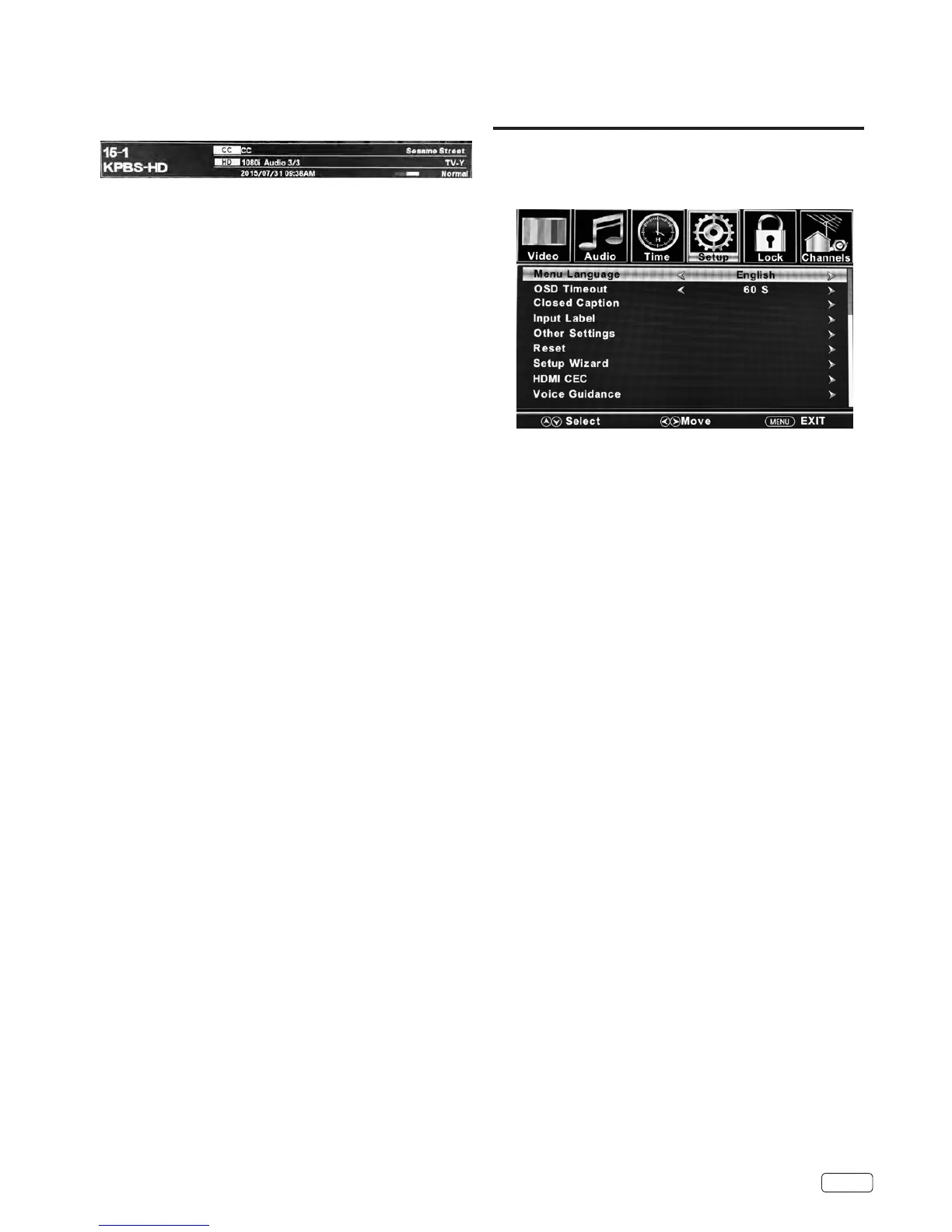
Example: Select Menu Language.
1
Press INPUT to select TV mode.
2
Press MENU. The TV menu screen will appear.
3
Press ◀ or ▶ to select “Setup”, then press ▼.
4
Press ▲ or ▼ to select “Menu Language”, then press ◀ or ▶
to select the desired language.
5
Press EXIT to return to the normal screen.
NOTE:
• On the following pages, the menu can be called in the same way
described above, by pressing the MENU button.
• If no buttons are pressed for more than about 15 seconds
(depending on your setting), the TV will return to normal viewing
automatically.
• During TV or external input mode, if there is no signal reception,
the TV will change to standby after approx. 15 minutes.
INFO
Press INFO to display the current information on the screen.
When the TV receives a digital signal, the digital information will
appear.
• Channel number • DTV Signal condition
• Channel label (if preset)
• Broadcast program name
• Parental Control
• Close Caption Display
• Program guide • Current date and time
• Resolution • Audio language
MUTE
Press MUTE to switch o the sound. The TV’s sound will be
silenced and MUTE icon will appear on the screen. The sound can
be switched back on by pressing this button again or by pressing
the VOL + button.
SLEEP
To set the TV to turn o automatically after a preset amount of
time, press SLEEP on the remote control. The clock will change
for each press of the SLEEP button (O, 5 min, 10 min, ..., 240
min).
To conrm the sleep timer setting, press SLEEP and the remaining
time will be displayed for a few seconds. To cancel the sleep timer,
press SLEEP repeatedly.


 To Next Page