9 EN
Chapter 1 Introduction
TV Control Keys
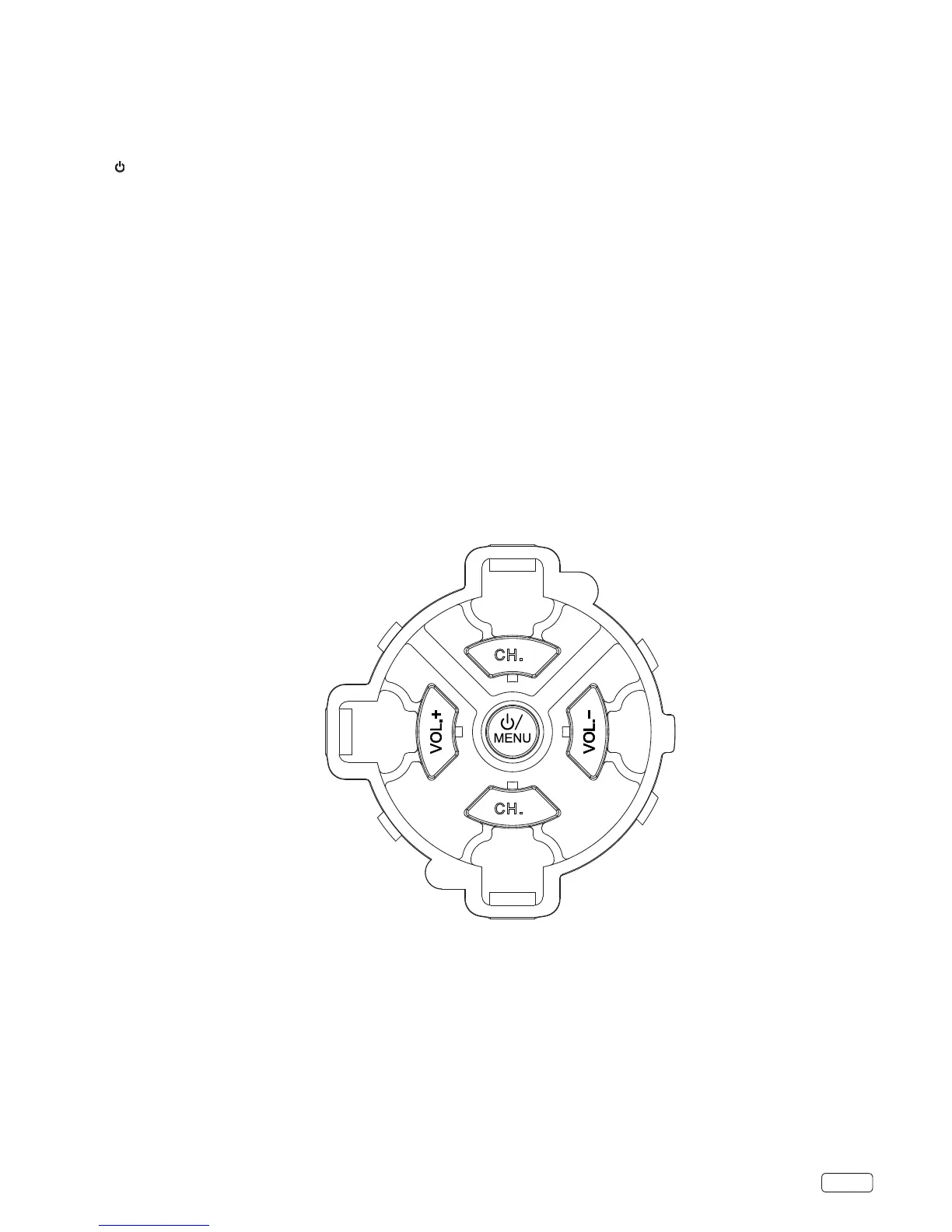
The TV control keys are multi-function buttons that help navigate or operate the TV without a remote control.
1. / MENU button
A. Press to power ON the TV from Stand by mode.
B. When the TV is ON:
1. Press to display the control menu OSD (On-screen Display).
2. Press to select OK.
3. Press and hold for more than 2 seconds to set the TV to standby.
2. CH.+ / CH.- buttons
A. Press to change the channel.
B. Press to navigate up / down while in the OSD.
3. VOL.+ / VOL.- buttons
A. Press to change the volume level.
B. Press to navigate right / left while in the OSD.
CH.
-
CH.
+


 To Next Page