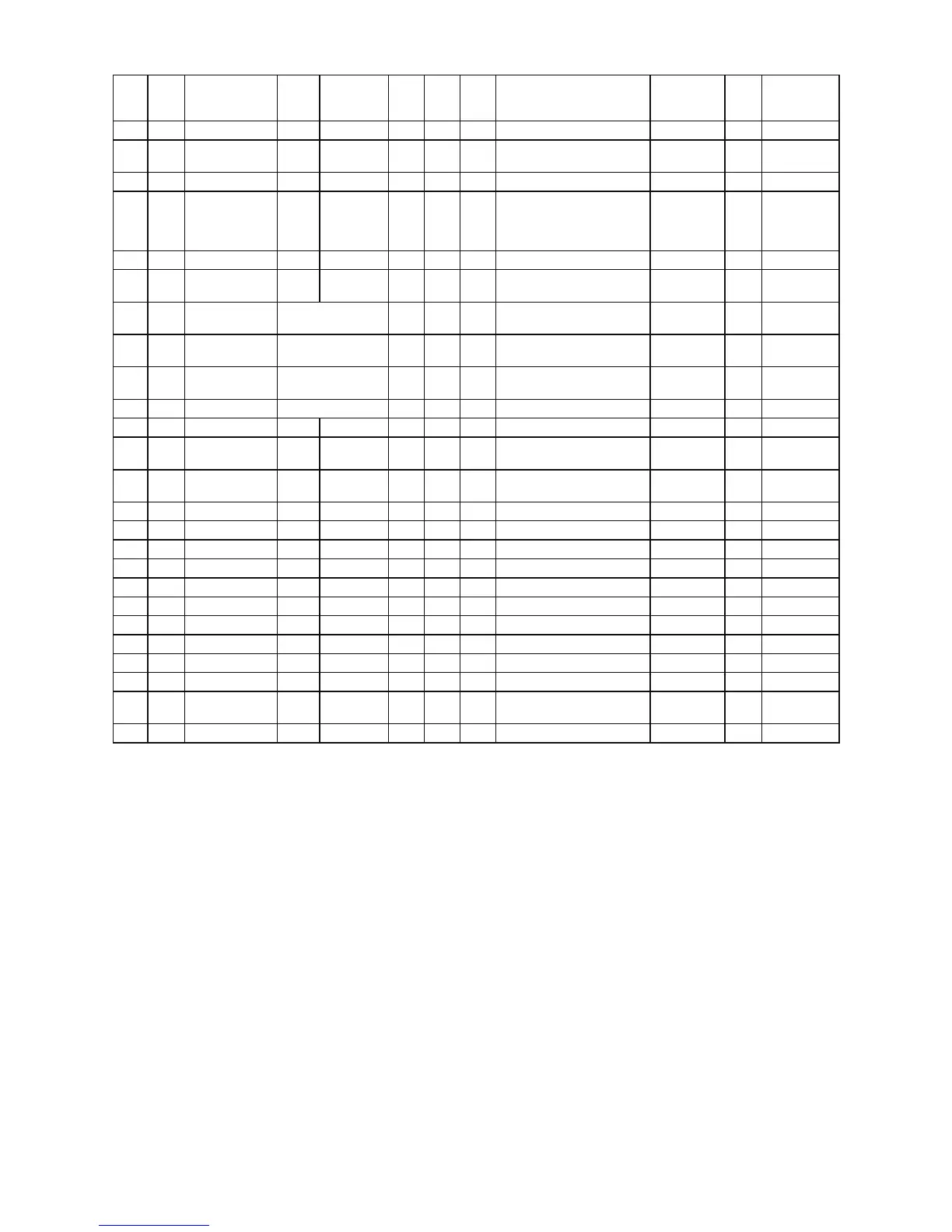
32PD3000 / 42PD3000
15
1st 2nd 3rd 4th 5th
32"
values
hex
37"
values
hex
42"
values
hex
functions Device
OB1
80 80 80
option byte 2
EMG
0 0 0
0:Normal, 1:Macrovision
improved
AV DELAY
OFF OFF OFF
RGB Comb
OFF OFF OFF
ON;Go through Comb,
OFF;skip Comb
It is affected to
SVC>MIS>MI1>M11=HP2/4
FC4
Enters FC4 sub menu
ASIAN
OPTIONS>
AV2
RGB RGB RGB
RGB or YUV
INITIAL INSTALL ON ON ON
INITIAL INSTALL menu is on
or off
COUNTRY
SELECT
ON ON ON
Country select is on or off
LANGUAGE
SELECT
ON ON ON
European language select is on
or off
TELETEXT ON ON ON
TELETEXT is working or not
HOT> OPT
0 0 0
hotel option, see sheet HOTEL
OPTION
VOL
bar
centre centre centre
Maximum volume limited in
Hotel mode
PRG
1 1 1
start up position number
VRS> MN
read read read
Model name
MSU
read read read
MSU micro version number
PDU
read read read
PDP micro version number -
PWT
read read read
PDP working hour
E2> E2R
OK OK OK
EEPROM reset
E2F
OK OK OK
EEPROM factory setting
E2S
OK OK OK
EEPROM is set to the shipment
E24
OK OK OK
EEPROM in FC4 is
initialised
EXS
OK OK OK escape from service menu







 To Next Page