EasyManua.ls Logo

Hitachi 40K31 - Channel Management and Setup; Selecting Air or Cable Source; Channel List and Skipping; Performing Auto Channel Scan

Hitachi 40K31
31 pages
Print Icon
To Next Page IconTo Next Page
To Previous Page IconTo Previous Page
Loading...
19 EN
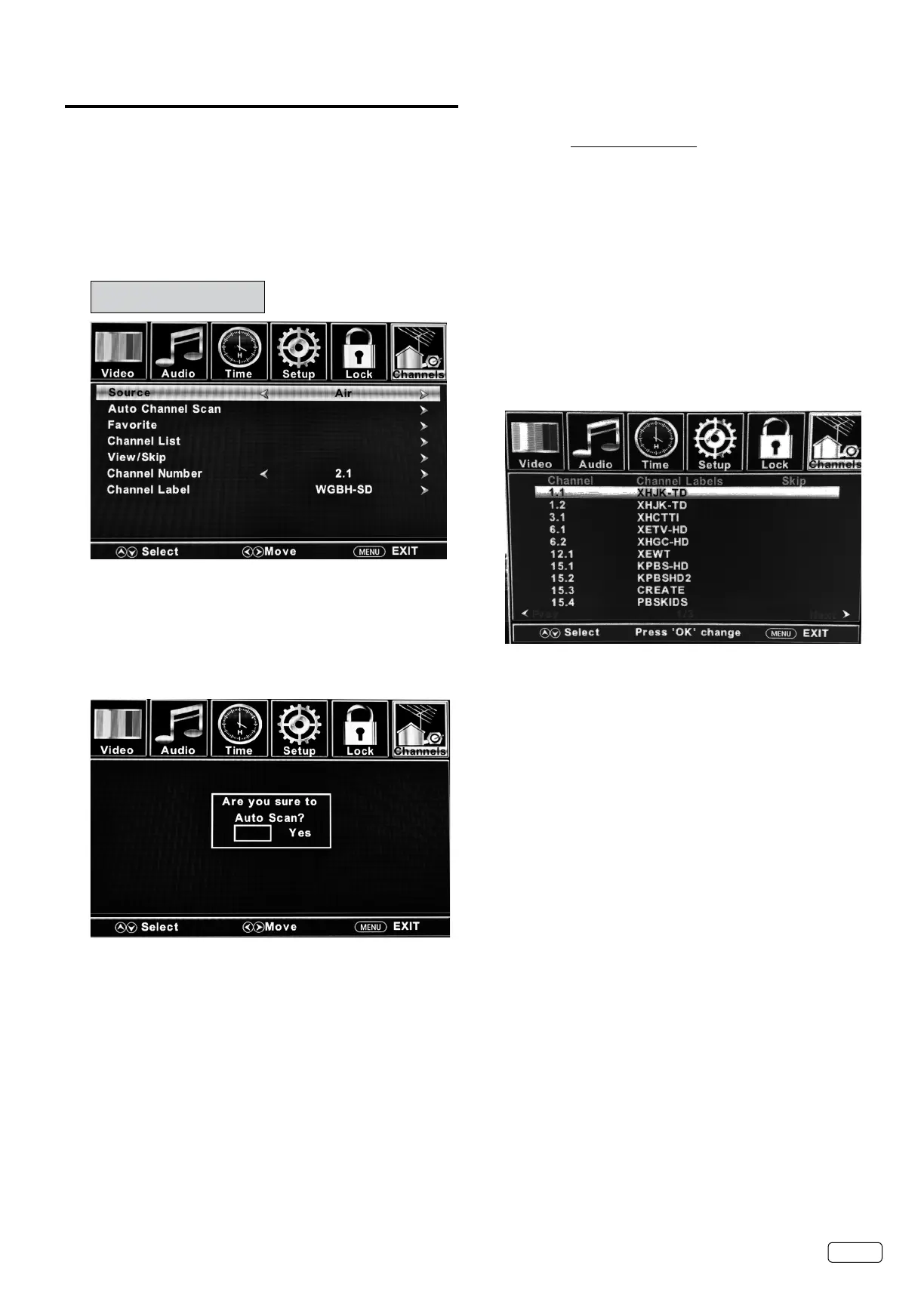
Channels setup
This TV is equipped with a Channel List feature which allows
channels to skip up or down to the next channel set into the
Channel List, skipping over unwanted channels.
Before selecting channels, they must be scanned into the
TV’s Channel List.
Air/Cable selection

  
Air 
Cable 
NOTE:
 

Auto Channel Scan



SELECT

SELECT

 

 

 MENU

NOTE:
 




 





Channel Manager

SELECT
 
SELECT3


No

Related product manuals