23 EN
Aspect Switching
You can change the picture size being displayed — Wide,
Cinema, Normal and Point to Point.
Selecting the picture size
NOTE:
ZOOM +/-
Wide / Full (Full is only available in HDMI Graphic
mode)
Cinema (for letter box programs)
Normal
Point to Point (for Graphic Mode only)
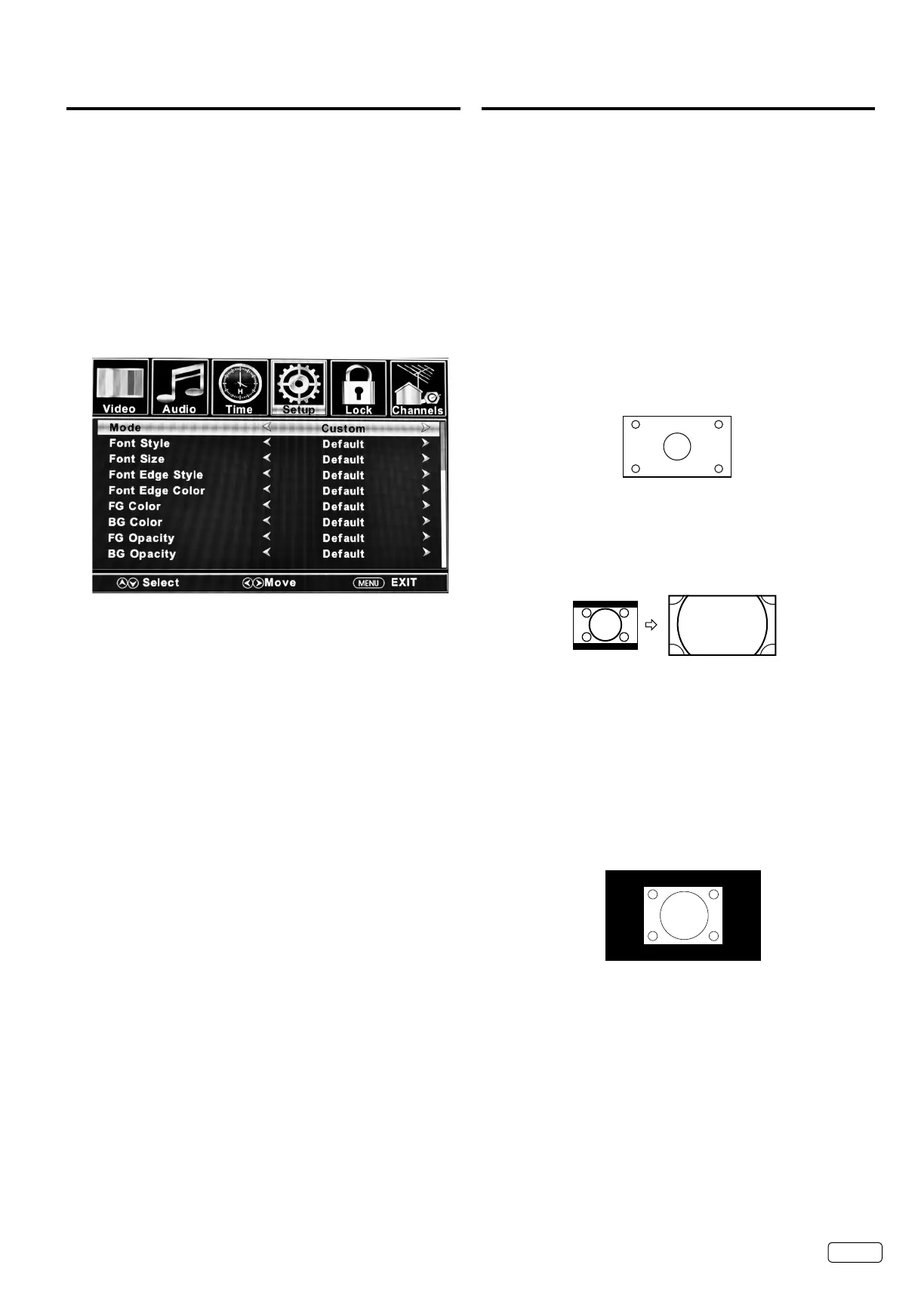
CC options
When you have selected “Custom” as the display method,
you can adjust the various setting listed below.
SELECT
SELECT
SELECT
Font: Style
Font Size:
Font Edge Style.
Font Edge Color:
FG Color:
BG Color:
FG Opacity:
BG Opacity:
NOTE:


 To Next Page