EasyManua.ls Logo

Hitachi 55E31 - Channel Labeling and Parental Control; Setting Parental Control Password

Hitachi 55E31
31 pages
Print Icon
To Next Page IconTo Next Page
To Previous Page IconTo Previous Page
Loading...
EN 20
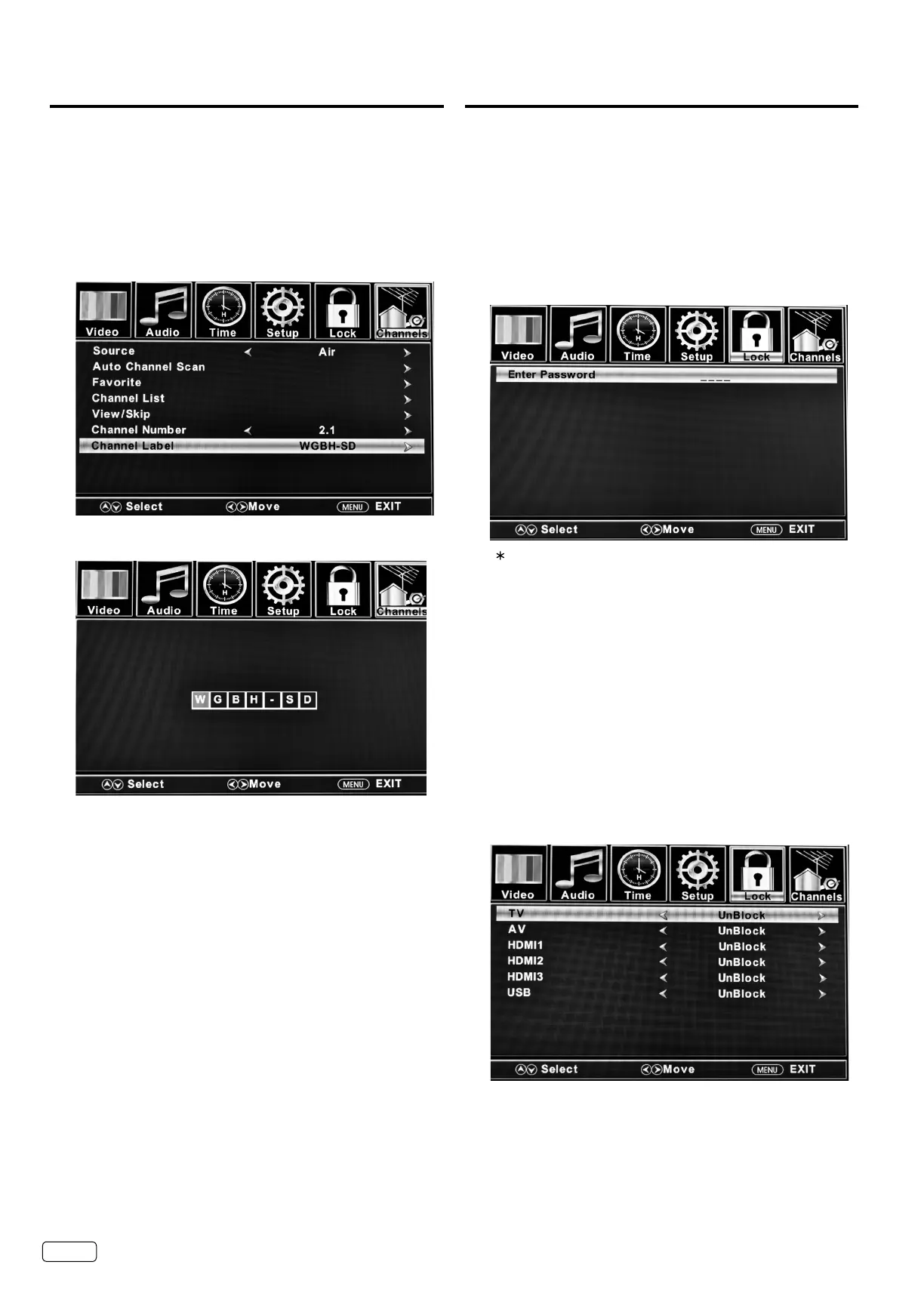
Labeling channels
Channel labels appear with the channel number display
each time you turn on the TV, select a channel, or press
DISPLAY.
You can choose any 7 characters to identify a channel.
To create channel labels

 
OK
 




OK


EXIT 


NOTE:
 

Setting the Parental Control
An age limitation can be set to restrict children from viewing
or hearing violent scenes or pictures that you may choose to
exclude. The restriction applies to “TV”, “Movie”, “Canada English
Rating” and “Canada French Rating” if this data is transmitted.
You may set this restriction separately. To use the Parental
Control function, you must register a password.
To enter a password

0000Direct Channel Selection Buttons (0-9)


NOTE:
 7777

 

How to enter the Parental Control menu

Direct Channel Selection Buttons (0-9)

To Lock the connected devices


OK



Related product manuals