EasyManua.ls Logo

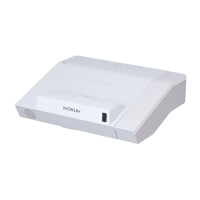
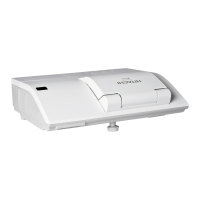
Hitachi CP-AX3005 - User Manual

Hitachi CP-AX3005
116 pages
Print Icon
To Next Page IconTo Next Page
Loading...
1
Projector
CP-AX2505/CP-AX3005/CP-AX3505
CP-AW2505/CP-AW3005
User's Manual (detailed)
Operating Guide
Thank you for purchasing this projector.
►Before using this product, please read all manuals for this
product. Be sure to read “Safety Guide” rst. After reading them, store them in a
safe place for future reference.
WARNING
• The information in this manual is subject to change without notice.
• The illustrations in this manual are for illustrative purposes. They may differ
slightly from your projector.
• The manufacturer assumes no responsibility for any errors that may appear in
this manual.
• The reproduction, transfer or copy of all or any part of this document is not
permitted without express written consent.
NOTE
Various symbols are used in this manual. The meanings of these symbols are
described below.
About this manual
WARNING
CAUTION
This symbol indicates information that, if ignored, could possibly
result in personal injury or even death due to incorrect handling.
This symbol indicates information that, if ignored, could possibly
result in personal injury or physical damage due to incorrect
handling.
Please refer to the pages written following this symbol.
NOTICE This entry notices of fear of causing trouble.

Other manuals for Hitachi CP-AX3005

Questions and Answers

  • K
    Kathy CarterAug 12, 2025
    What to do if the internal temperature is rising in my Hitachi CP-AX3005 Projector?
    • J
      Jessica BenderAug 12, 2025
      If the internal temperature of your Hitachi Projector is rising, turn the power off and allow the projector to cool down for at least 15 minutes.
  • B
    Brian WolfAug 16, 2025
    What to do if the lamp doesn't light in my Hitachi CP-AX3005 and it may be overheating?
    • H
      hmartinAug 16, 2025
      If the lamp does not light and the interior of your Hitachi Projector may be overheated, turn the power off and allow the projector to cool down for at least 15 minutes.
  • L
    Leslie GrahamAug 19, 2025
    What to do if the cooling fan is not operating in my Hitachi Projector?
    • L
      lewismaryAug 19, 2025
      If the cooling fan is not operating in your Hitachi Projector, turn the power off and allow the projector to cool down for at least 15 minutes.
  • L
    lisagrayAug 23, 2025
    What to do if the button operation is not available on my Hitachi Projector?
    • H
      hancockjacobAug 23, 2025
      If button operation is not available on your Hitachi Projector, turn on the POWER indicator.
  • A
    Amanda DavidAug 27, 2025
    How to troubleshoot no input signal on Hitachi CP-AX3005?
    • K
      khannaAug 27, 2025
      If your Hitachi Projector shows no input signal, confirm the signal input connection and the status of the signal source.
  • M
    Michelle GrahamAug 30, 2025
    What to do if the frequency of the input signal is not within range on my Hitachi CP-AX3005?
    • B
      Brianna LarsonAug 31, 2025
      If the horizontal or vertical frequency of the input signal is not within the specified range for your Hitachi Projector, confirm the specs for your projector or the signal source specs.
  • P
    pwallsSep 3, 2025
    What to do if an improper signal is input to my Hitachi CP-AX3005 Projector?
    • D
      Deanna JohnsonSep 4, 2025
      If an improper signal is input to your Hitachi Projector, confirm the specs for your projector or the signal source specs.
  • J
    jpayneSep 7, 2025
    What does it mean when my Hitachi CP-AX3005 is in an on state?
    • L
      Lisa McintyreSep 7, 2025
      Ordinary operations may be performed if your Hitachi Projector is in an on state.

Summary

Projector Installation and Setup

Projector Power Operations

Turning the Projector On and Off

Step-by-step guides for powering the projector on and off.

Image Adjustment Features

Picture Positioning and Distortion Correction

EASY MENU Functions

SETUP Menu Adjustments

OPTION Menu Information and Factory Reset

Input Information Display and Factory Reset Procedure

Displaying input info and restoring projector to factory defaults.

SECURITY Menu Access and Password Change

SECURITY Menu PIN Lock

Presentation Tools Overview

PC-LESS Presentation Modes

USB Display Setup (Windows)

USB Display Setup (Mac)

Projector Lamp Maintenance

Lamp Replacement Procedure and Resetting Lamp Time

Step-by-step guide for replacing the projector lamp and resetting the usage timer.

Air Filter Maintenance

Air Filter Cleaning and Replacement Procedure

Steps for cleaning or replacing the projector's air filter.

Troubleshooting Overview and Error Messages

Understanding Indicator Lamps

Troubleshooting Common Phenomena

Resetting Settings and Power;Connection Issues

Restoring defaults and resolving problems like no power or connection failures.

Troubleshooting Sound Issues

Resolving No Sound or Low Volume Problems

Diagnosing and fixing problems related to sound output and volume.

Troubleshooting Image and Remote Control Issues

Resolving No Picture or Remote Control Problems

Addressing issues with missing pictures and non-responsive remote controls.

Troubleshooting Image Quality Issues

Fixing Image Quality Problems

Resolving issues with frozen screens, color, brightness, blurriness, flickering, and noise.

Troubleshooting Connectivity and Stability Issues

Resolving Unstable Output and Network Problems

Diagnosing intermittent output, USB connection failures, and network issues.

Troubleshooting Network and Cloning Failures

Network Loops and Cloning Data Issues

Addressing network loop issues and problems with cloning data transfer.

Hitachi CP-AX3005 Specifications

General IconGeneral
BrandHitachi
ModelCP-AX3005
CategoryProjector
LanguageEnglish

Related product manuals