38
SETUP menu
SETUP menu
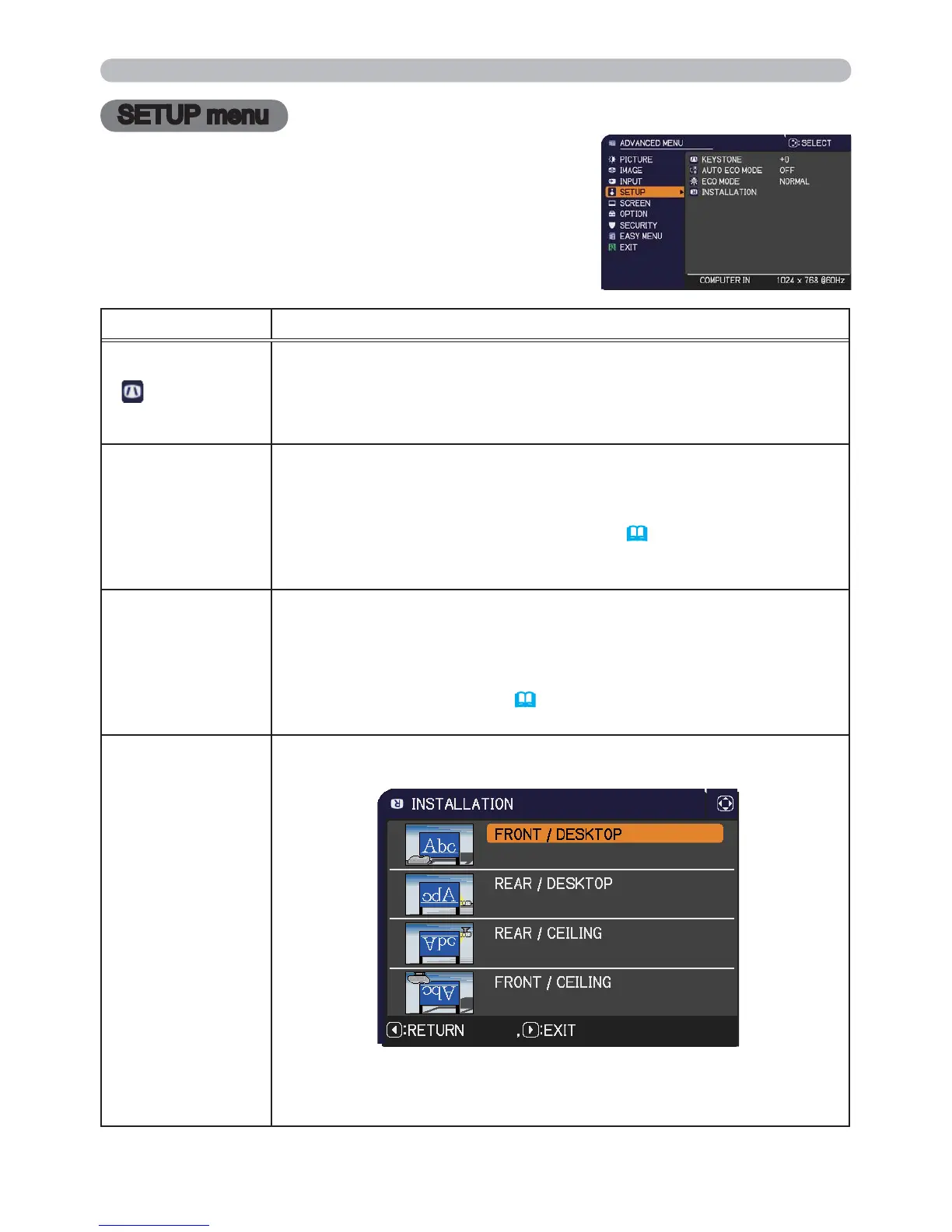
From the SETUP menu, items shown in the table
below can be performed.
Select an item using the ▲/▼ cursor buttons, and
press the ► cursor button or ENTER button to
execute the item. Then perform it according to the
following table.
Item Description
KEYSTONE
Using the ◄/► buttons corrects the vertical keystone distortion.
Shrink the bottom of the image
Shrink the top of the image
• The adjustable range of this function will vary among inputs. For
some input, this function may not work well.
AUTO ECO MODE
Using the ▲/▼ buttons turns on/off the AUTO ECO MODE.
ON
OFF
• When ON is selected, the projector will always be set to Eco mode
at start-up regardless of the ECO MODE (
below) setting. An OSD
message “AUTO ECO MODE” will be displayed for a while when
the projector starts with this function activated.
ECO MODE
Using the ◄/► buttons switches ECO MODE.
ECO
NORMAL
• When the ECO is selected, acoustic noise and screen brightness
are reduced.
• When AUTO ECO MODE (
above) is set to ON, the projector will
always be set to Eco mode at start-up regardless this setting.
INSTALLATION
Pressing the ►button displays the dialog for changing the
INSTALLATION setting.
Use the ▲/▼ buttons to select the desired setting on the
INSTALLATION dialog, and press the ENTER button of the remote
control or the INPUT button of the projector to execute.


 To Next Page
 Loading...