27
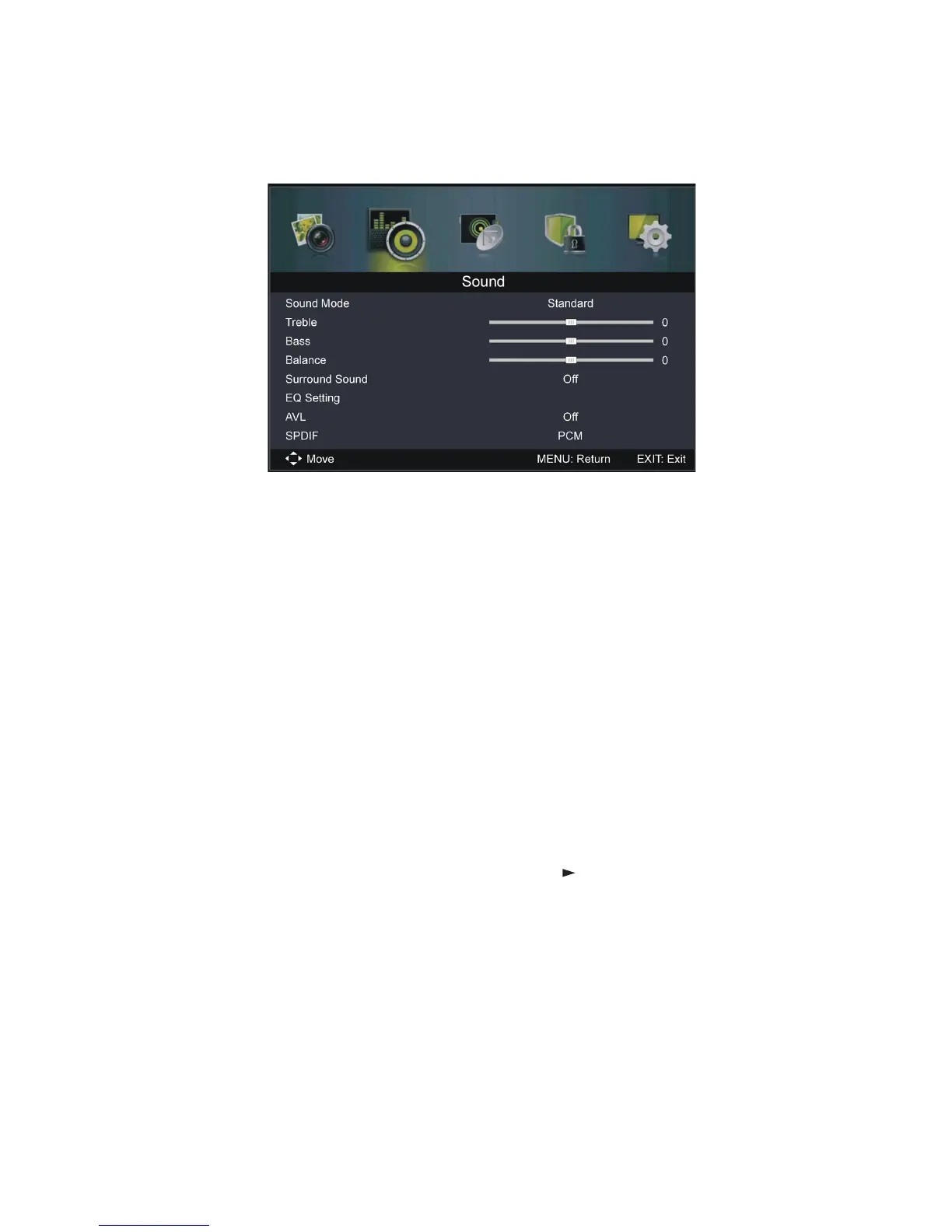
Sound menu (DTV & AVT mode)
Sound Mode: Available options: Standard, Music, Personal, Movie.
Treble / Bass: U se these items to adjust the levels of higher-pitched sounds
(Treble) and lower-pitched sounds (Bass) from -50 to 50.
NOTE: When the Treble or Bass values are changed, sound
mode will automatically switch to Personal.
Balance: Use thi s item to adjust the audio output between the left and right
speaker from -50 to 50.
Surround Sound: Use this item to turn on/off Surround Sound simulation.
EQ Setting: Use this item to set the equalizer.
Available EQ Modes: Off, Rock, Pop, Jazz, User.
AVL (Auto Volume Level): Use this item to turn on/off the AVL function.
SPDIF: Use this item to select the desired SPDIF audio output type.
Available options: Off, PCM, Auto.
Audio Descripti on: Press the OK button (or the button) to enter this item.
Then you can set the AD switch to ON or OFF.
NOTE: Audio description for visual representation works only
with programs that contain related narration information (for
people with vision impairments).
Sound Type: Us e this item to select the desired sound Type.
Available options: Stereo, Dual I, Dual II, Mixed.
Menus (Cont.)















 To Next Page