28
Menus (Cont.)
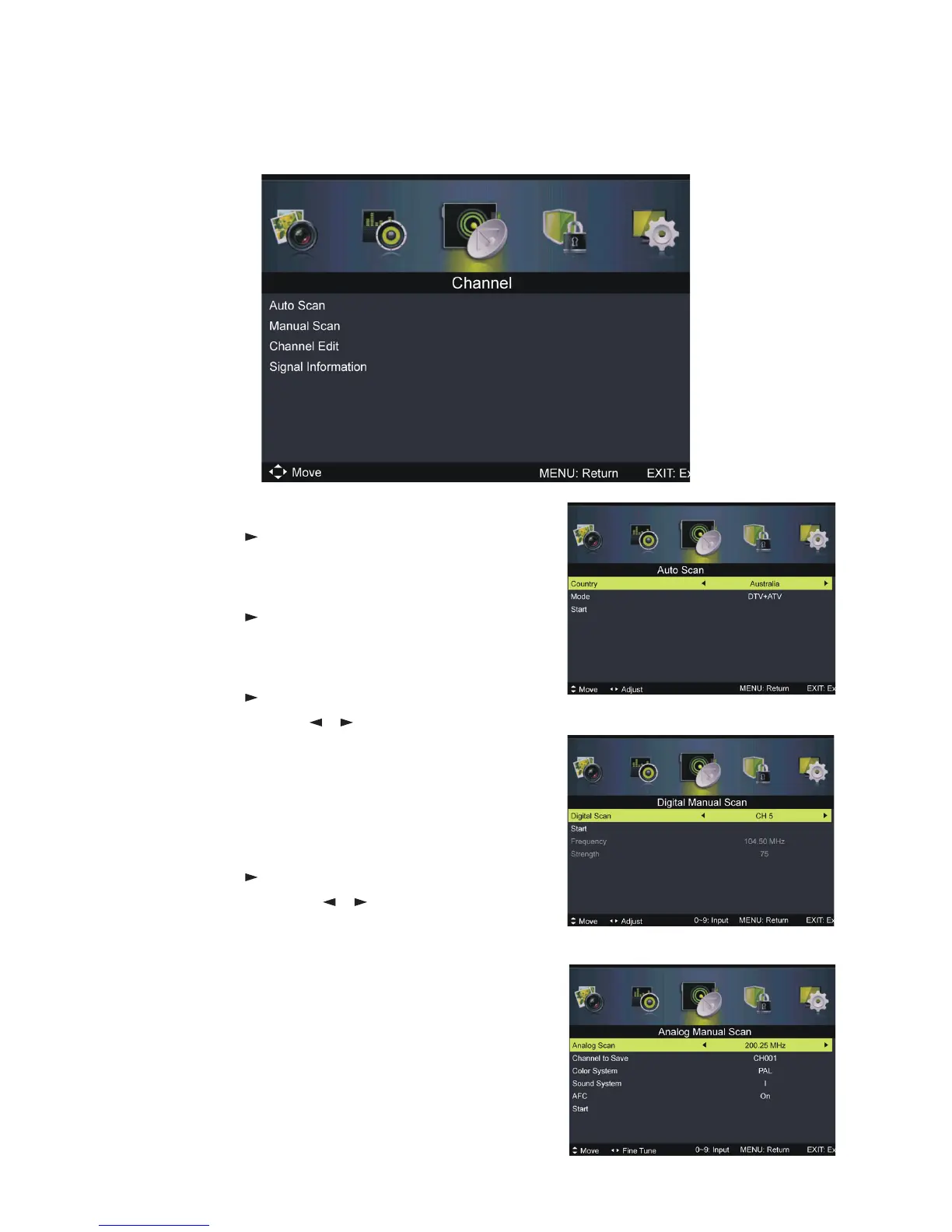
Auto Scan
sPress OK or to enter. Then select your
country, scan type and start scanning.
Manual Scan
sPress OK or to enter. Then select digital or
analog manual scan.
Digital Manual Scan
sPress OK or to enter.
Digital Scan: Press / to select the channel.
Start: Start scanning.
Frequency: This is not user adjustable.
Strength: This displays the signal strength of
the current channel. It is not user adjustable.
Analog Manual Scan
sPress OK or to enter.
Analog Scan: Press / to fine tune.
Channel to Save: Select the channel number
to be saved.
Colour System: Select the colour system (PAL
in Australia).
Sound System: Select the sound system.
AFC: Turn on/off automatic fine tuning.
Start: Start scanning.
NOTE: Colour System, Sound System and AFC
can only be adjusted if there is a signal.
Channel menu (DVT & ATV mode)















 To Next Page