35
Menus (Cont.)
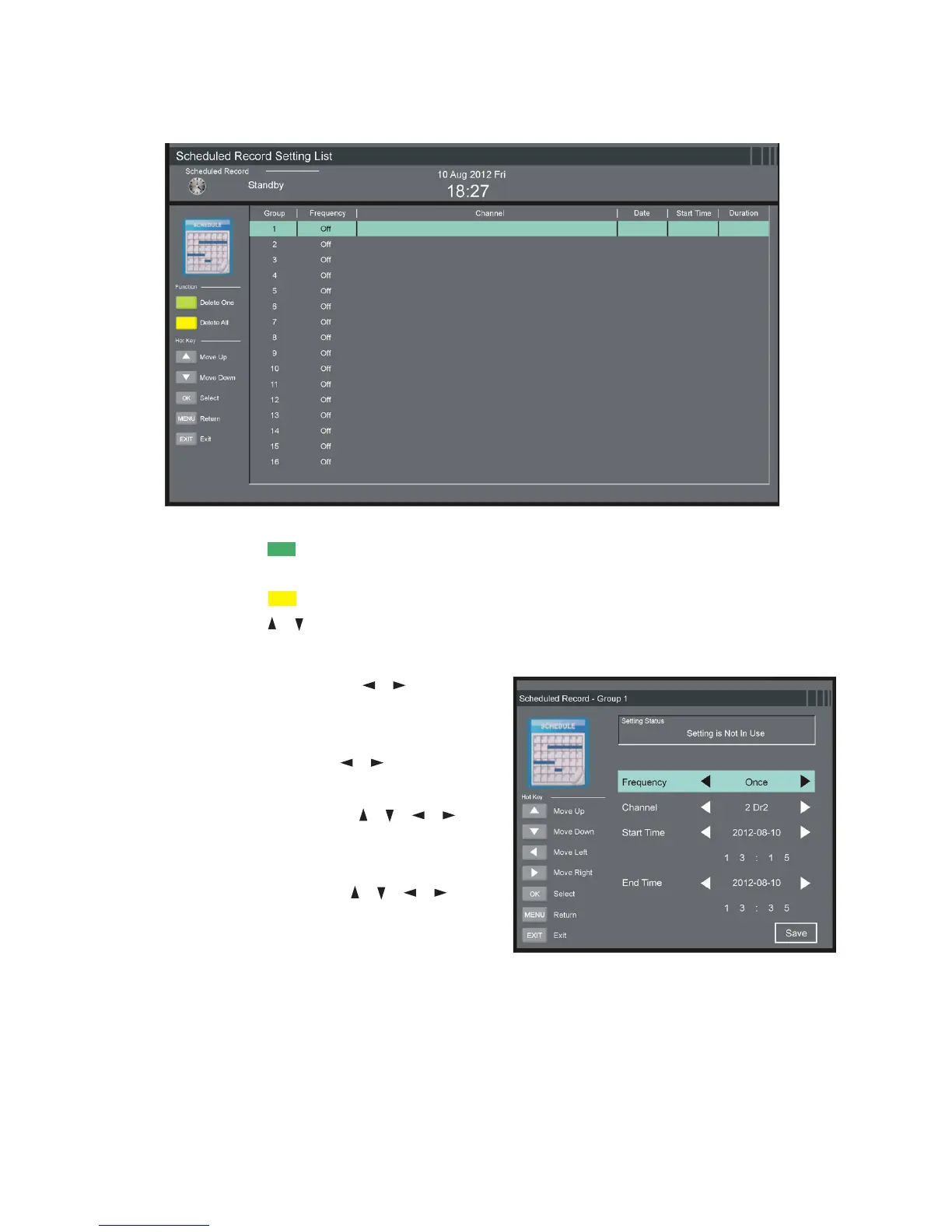
Scheduled Record
sPress the GREEN button on the remote control to delete the high-
lighted option.
sPress the YELLOW button to delete all.
sPress the / button to select a schedule.
sPress OK to edit the highlighted Scheduled Recording.
Frequency: Press the / buttons
to select the desired mode: Off,
Once, Daily, Weekly, Weekday.
Channel: Press the / buttons to
select the desired channel.
Start Time: Press the / / /
buttons to select the desired start
date and time of the recording.
End Time: Press the / / /
buttons to select desired end date
and time of your scheduled recording.
NOTE: After successful completion, select “Save” to save the settings.
First Time Setup
This item is used to recall the First Time Setup page (see page 14 for details).
Reset
This item is used to reset to factory default settings.
Software Update (USB)
This item is used to update software through USB1 memory device.















 To Next Page