GB-16
Hints and TipsBasic Operation
Connecting to a
Computer
Product Overview
Specications and
Safety Warning
During recording, you can:4.
Pausing/Resume Recordingr :
Press the
button to pause recording. Press the button again to resume
recording.
Stop Recordingr :
Press the MENU button to save the recordings. The MP3 player will go to the
Voice playback interface automatically.
The recorded les are saved in the MICIN.DIR folder of the MP3 player as WAV les (format:
MIC0000X.WAV) and can be listened in the Voice mode.
Voice recording is automatically stopped when the memory of the MP3 player is full. Data that has
been already recorded is automatically saved.
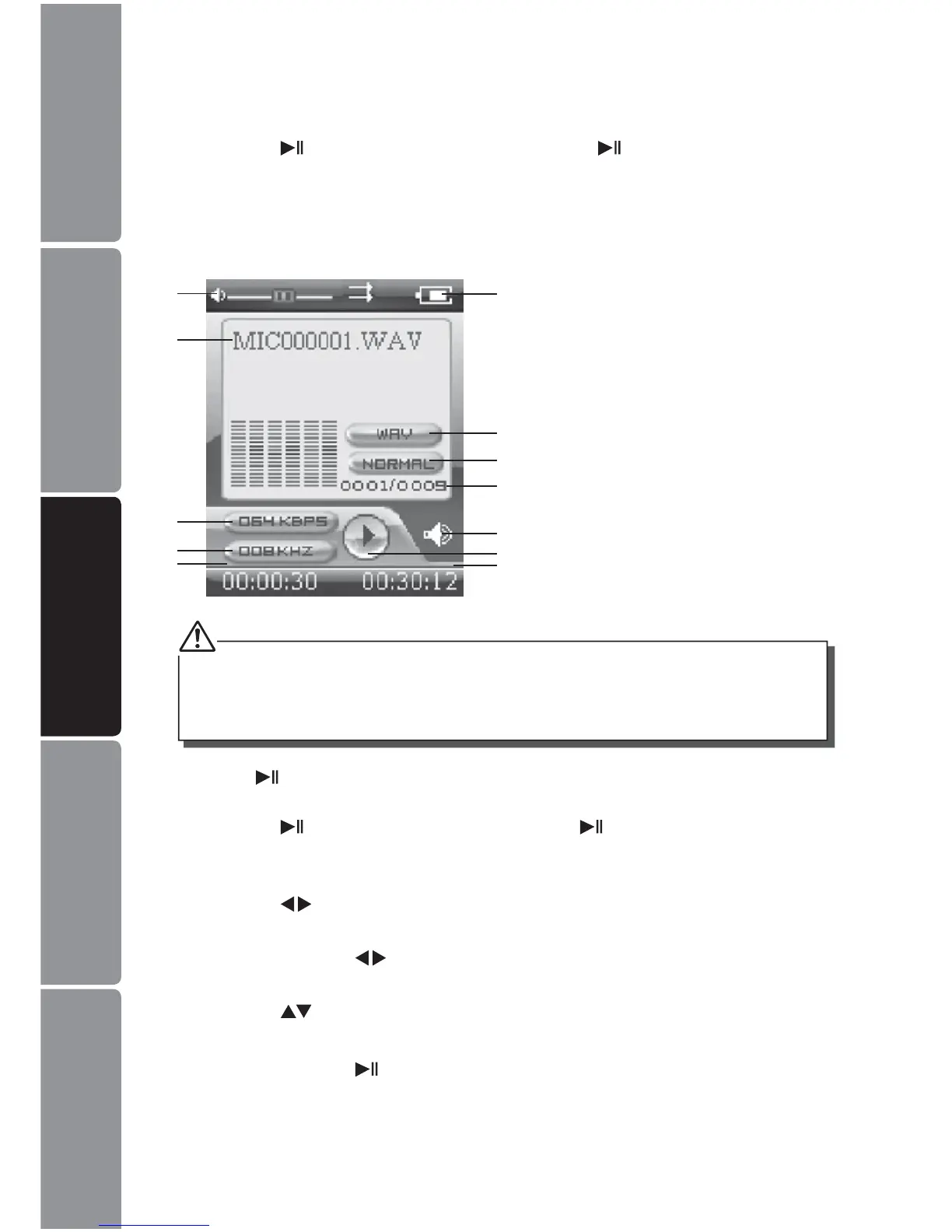
Volume level 1.
Recording voice name 2.
Bit rate3.
Sampling frequency4.
Elapsed time of the track5.
Remaining battery power indicator6.
File format7.
Current EQ indicator8.
Current track / Total track number9.
Current mode10.
Play/Pause/Stop/Fast forward/11.
Rewind
Total time of the track12.
1
2
3
4
5
6
7
8
9
12
11
10
Press the 5. button to play the recording while playing recordings, you can:
Pausing/Resume Playingr :
Press the
button to pause playing. Press the button again to resume
playing.
Skipping Tracksr :
Press the
buttons to skip to previous / next track.
Searchingr :
Press and hold the
buttons to fast rewind / fast forward within a track.
Adjusting the Volumer :
Press the
buttons to increase / decrease the volume.
Exitr :
Press and hold the
button to return to the main menu.


 To Next Page