GB-17
Basic Operation
Connecting to a
Computer
Product Overview
Hints and Tips
Specications and
Safety Warning
Press the 2. button to enter the Repeat Menu. Press the
buttons to select the desired mode as below and then
press the
button to conrm and exit.
No Repeatr
Play all the saved music les in order once.
Repeat Oner
Play the current or selected le repeatedly.
Repeat Allr
Play all the music les in order repeatedly.
Folder Normalr
Play all the les in the current folder in order once.
Folder Repeatr
Play all the les in the current folder repeatedly.
Folder Randomr
Play all the les in the current folder in random order.
Entering the Voice Setup Menu
While playing the recording, press the 1. MENU button to enter the Voice Setup
Menu.
Press the 2.
buttons and then the button to access the following: Repeat,
Equalizer, 3D, Play Rate, File, Record.
After nishing the music setting, press the 3. MENU button to exit the Music Setup
Menu.
To Set Repeat
The repeat mode setting enables you to play the tracks in a desired order.
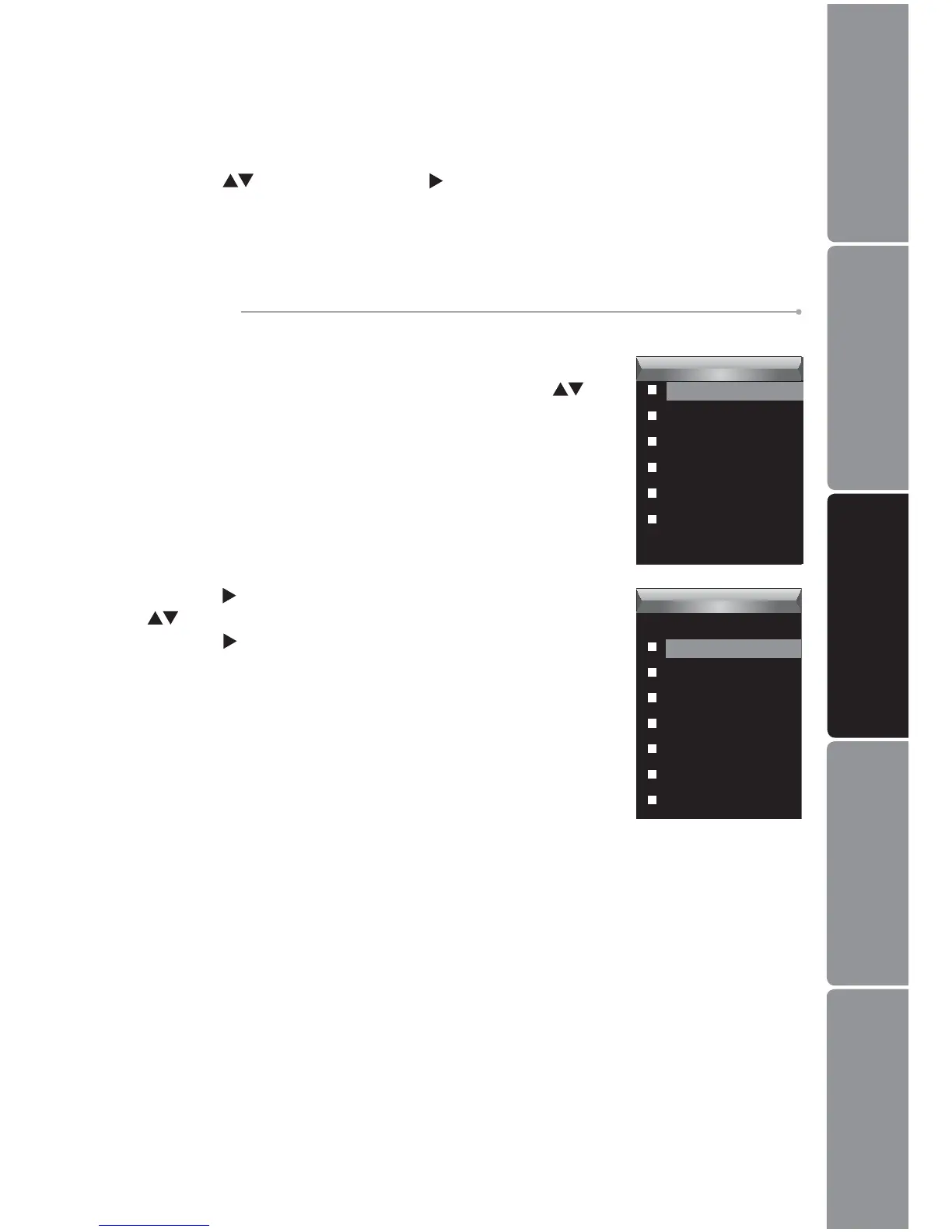
Press the 1. MENU button while listening to a track. The
Voice Setup Menu appears on the screen. Press the
buttons to select Repeat.
Voice
Repeat
Equalizer
3D
Play Rate
File
Record
Voice
Repeat
No Repeat
Repeat One
Repeat All
Random All
Folder Normal
Folder Repeat
Folder Random


 To Next Page