28
27
22
21
20
29
30
33
23
26
24
32
31
18
17
19
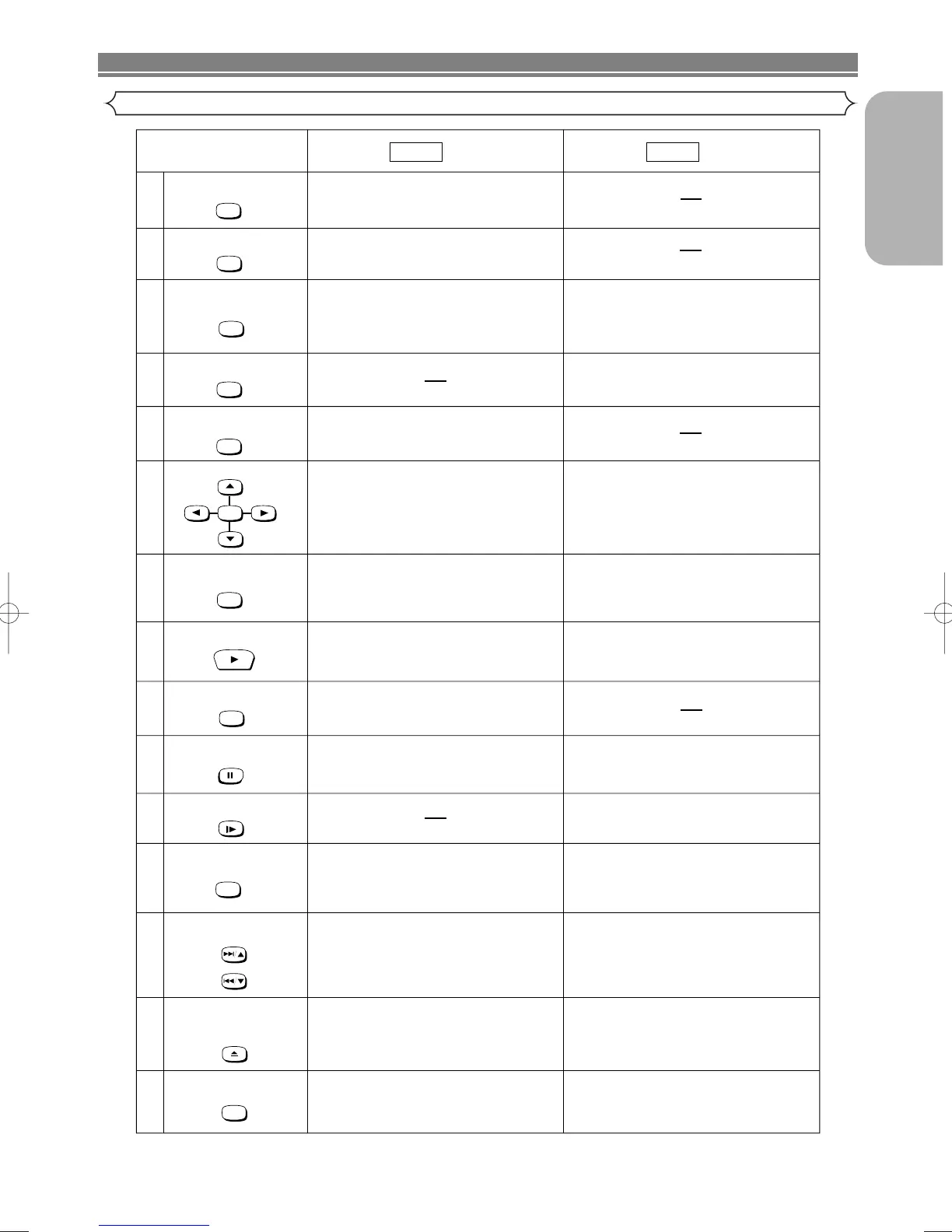
DVD VCR
Mode Mode
ENTER
AUDIO Button
DISPLAY Button
OPEN/CLOSE/EJECT
Button
PLAY Button
QUICK-FIND
DVD Button
A-B REPEAT Button
ENTER, Cursor Buttons
RETURN Button
SKIP/PROG Buttons
REPEAT Button
REPEAT
A-BREPEAT
SEARCH MODE Button
SEARCH MODE
QUICK-FIND
RETURN
DISPLAY
AUDIO
SLOW Button
SLOW
SKIP/PROG
SKIP/PROG
OPEN/CLOSE
EJECT
DVD
Pause/Step Button
CLEAR/C.RESET Button
CLEAR
C.RESET
• Marks a segment to repeat between
A and B. (DVD/CD)
• Moves the cursor and determines its
position.
• Moves the cursor and determines its
position.
• Cannot use the ENTER button.
• Returns to a previous menu. (DVD)
• To skip chapters. (DVD)
• To skip tracks. (CD)
•
Allows you to repeat play a chapter or title.
(DVD)
• Allows you to repeat play a track or all. (CD)
• To search chapter or title. (DVD)
• To search track. (CD)
• To search time. (DVD/CD)
• To rapidly return to a location of disc.
• Search the markers. (DVD/CD)
• To view the tape in slow motion.
• Press to eject the video cassette from the
VCR.
• To select STEREO, L-CH, R-CH or normal.
• Begin tape playback.
• To select the DVD output mode.
• To use the remote control in DVD mode.
• Accesses various audio functions on a disc.
(DVD)
• To select STEREO, L-CH or R-CH. (CD)
• Displays the current disc mode.
• To open or close the disc tray.
• Begin disc play.
• To search and confirm the contents of the
recorded programme(s).
• Press to call up the index or time search
menu.
• Pause disc play.
• Advances playback one frame at a time.
(DVD)
• Pause tape playback or recording.
• Advances playback one frame at a time.
• Clear the markers.
• Clear the number that is entered incorrectly.
• Removes status No. in programme input.
(CD)
• To reset the tape counter.
• Displays the current time, tape counter,
channel.
• Press to control the TV programmes.
• To adjust the tracking manually during
playback.



 To Next Page