EasyManua.ls Logo

Hitachi DZ-MV350A - User Manual

Hitachi DZ-MV350A
170 pages
Print Icon
To Next Page IconTo Next Page
Loading...
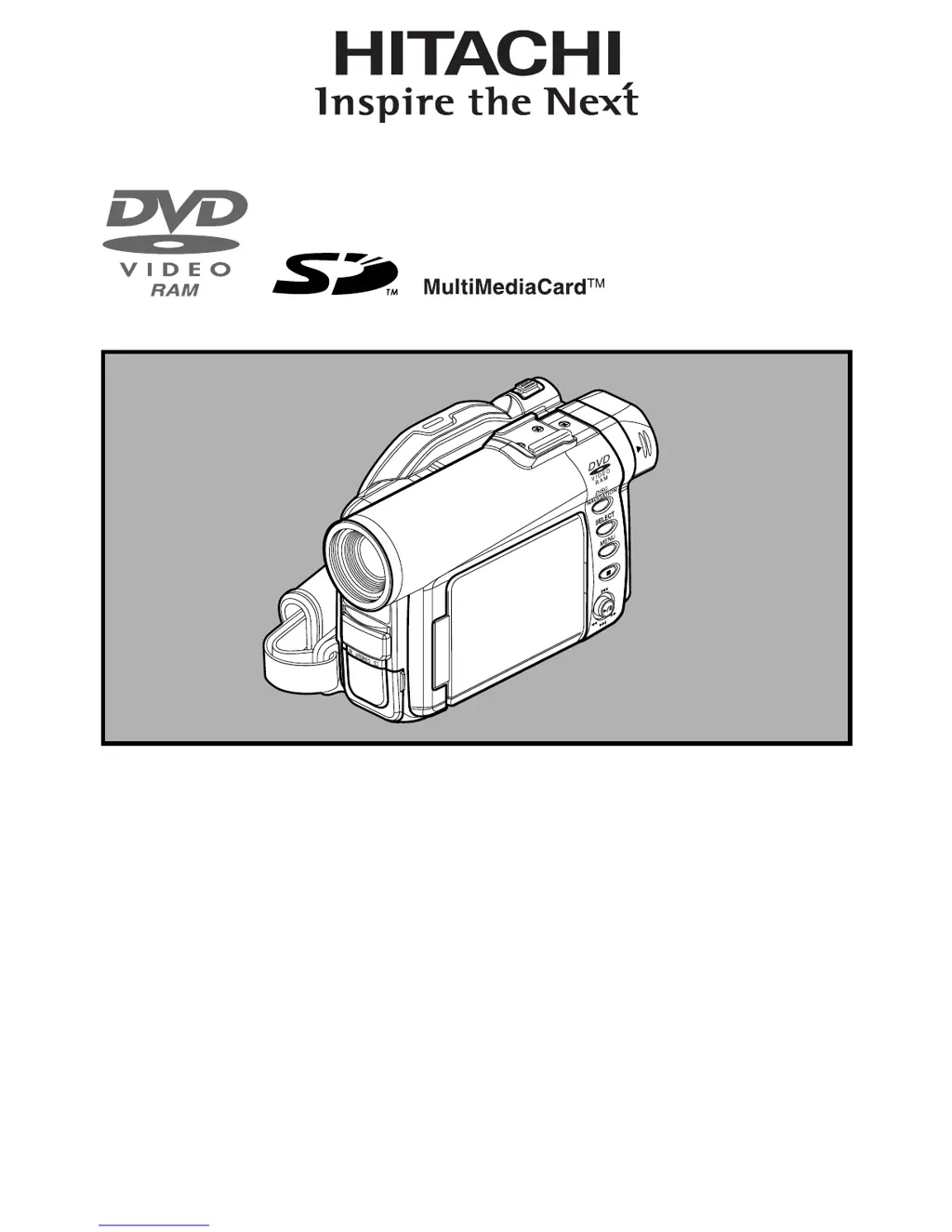
Instruction Manual
DZ-MV350A
HITACHI AMERICA, LTD.
HOME ELECTRONICS DIVISION
1855 Dornoch Court
San Diego, CA 92154-7225
Tel. 1-800-HITACHI
(1-800-448-2244)
HITACHI CANADA LTD.
DIGITAL MEDIA DIVISION
6740 Campobello Road
Mississauga, Ontario L5N 2L8
CANADA
Tel. 1-800-HITACHI
(1-800-448-2244)
Thank you for buying a Hitachi product. Please take time to become familiar with the manual and how it
is set up. Keep it handy for future reference.
QR34642 ©Hitachi, Ltd. 2003 Printed in Japan OM-F(I)

Table of Contents

Other manuals for Hitachi DZ-MV350A

Questions and Answers

  • M
    Maria Rasmussen DVMAug 20, 2025
    Why is my Hitachi DZ-MV350A battery not charging?
    • R
      robinsonmollyAug 20, 2025
      There are several reasons why your Hitachi Camcorder battery might not be charging. The ambient temperature could be too low or too high; charge the battery at 50-86ºF (10-30ºC). The battery might be abnormally hot; remove it, let it cool, and then charge it. Ensure the DC power cord is not connected to the AC adapter/charger (unplug it). If the battery has been unused for a long time, remove and reattach it; if it still doesn't charge, it may be dead, and you may need to purchase a new one. If none of these steps work, the battery might need replacing.
  • L
    laura60Aug 22, 2025
    What to do if my Hitachi DZ-MV350A power goes off unexpectedly?
    • S
      Sarah ClarkAug 22, 2025
      If your Hitachi Camcorder turns off unexpectedly, check if the Power Save feature is set to “On.” When enabled, the camcorder automatically turns off after 5 minutes of inactivity to save battery. To restart, set the power switch to “POWER OFF” and then back to “VIDEO”. Alternatively, you can disable the automatic power off by setting “Power Save: Off.”
  • C
    Charles RomanAug 25, 2025
    Why does no playback picture appear on my TV screen from my Hitachi DZ-MV350A?
    • K
      Kayla MedinaAug 25, 2025
      If you're not seeing a playback picture on your TV screen from your Hitachi Camcorder, first ensure that the TV input selector is correctly set to match the connected jacks. Some TVs have multiple video input jacks, so select the correct one. If the camcorder is connected to a VCR, set the VCR's input selector to “external input (LINE)”. Also, verify that the camcorder is correctly connected to the TV by checking the connections.
  • A
    Alicia MccoyAug 26, 2025
    Why does my Hitachi DZ-MV350A Camcorder battery weaken so fast?
    • M
      Michael TorresAug 26, 2025
      If your Hitachi Camcorder battery is weakening quickly, especially in low temperatures, consider keeping extra batteries on hand. It's also possible that the battery is dead, in which case you should purchase a new one.
  • A
    annapollardAug 27, 2025
    How to fix a Hitachi DZ-MV350A LCD screen that is hard to see?
    • S
      savannahsalazarAug 28, 2025
      If the LCD screen on your Hitachi Camcorder is hard to see, especially outdoors, stop recording and adjust the brightness settings. When using the LCD monitor outdoors, adjust its angle to avoid direct sunlight. Alternatively, use the viewfinder instead of the LCD screen.
  • M
    marc28Aug 29, 2025
    How to correct the focus on my Hitachi Camcorder?
    • T
      Thomas LewisAug 30, 2025
      If the focus on your Hitachi Camcorder is not correct, and autofocus is difficult to use with your subject, try focusing manually. If “MF” appears on the screen, the camcorder is set to manual focus; focus manually or release manual focus. If using the viewfinder, adjust the diopter control. If these steps don't work, try turning the power off and then on again to “VIDEO”, “PHOTO” or “PHOTO”.
  • T
    Thomas FrenchSep 1, 2025
    Why does my Hitachi Camcorder recording start but stop immediately?
    • J
      Jessica WillisSep 1, 2025
      If your Hitachi Camcorder recording starts but stops immediately, the disc may be scratched, dirty, or have fingerprints on it. Clean the disc or replace it. Also, if another AV device is connected to the camcorder via several other devices, try reducing the number of devices or connecting the AV device directly. The issue may also be that you are attempting to record image from a video game or PC, which may not be recordable on the camcorder.
  • L
    Lori JonesSep 3, 2025
    Why is the CHARGE indicator blinking on my Hitachi Camcorder AC adapter?
    • H
      Heidi WilliamsSep 3, 2025
      If the CHARGE indicator on your Hitachi Camcorder AC adapter is blinking, it could be due to the ambient temperature being too low or too high. Try charging the battery in an environment where the temperature is 50-86°F (10-30°). If the temperature is within range, continue charging; the battery will eventually charge to the specified voltage, and the CHARGE indicator will light up, indicating normal completion.
  • K
    Kevin JonesSep 5, 2025
    Why does my Hitachi DZ-MV350A Camcorder power turn off immediately after turning it on?
    • F
      Frank BrownSep 5, 2025
      If your Hitachi Camcorder's power turns off immediately after being turned on, the battery may not be charged. Charge the battery.
  • B
    brandonlambertSep 7, 2025
    What to do if pressing the REC button doesn't start recording on my Hitachi Camcorder?
    • J
      Jonathan DanielsSep 7, 2025
      If pressing the REC button on your Hitachi Camcorder does not start recording, the input image may be copy-protected. Copy-protected images cannot be recorded on this camcorder.

Hitachi DZ-MV350A Specifications

General IconGeneral
BrandHitachi
ModelDZ-MV350A
CategoryCamcorder
LanguageEnglish

Related product manuals