EasyManua.ls Logo

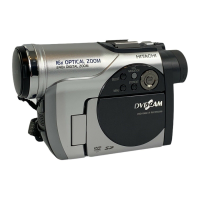
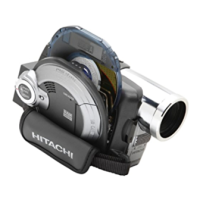
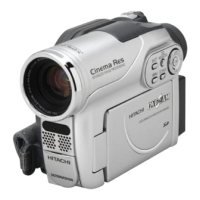
Hitachi DZ-MV730E - User Manual

Hitachi DZ-MV730E
179 pages
Print Icon
To Next Page IconTo Next Page
Loading...
EnglishDeutschFrançais
DZ-GX20E/DZ-MV780E
DZ-MV750E/DZ-MV730E
DZ-GX20E (UK)/DZ-MV780E (UK)
DZ-MV750E (UK)/DZ-MV730E (UK)
Instruction manual
To obtain the best performance and ensure years of
trouble-free use, please read this instruction
manual completely.
Mode d’emploi
Des performances optimales et un fonctionnement
à long terme seront assurés en appliquant les
présentes instructions après avoir entièrement lu
ce mode d’emploi.
Bedienungsanleitung
Bitte lesen Sie diese Bedienungsanleitung
aufmerksam durch, um durch richtige Bedienung
jahrelangen und störungsfreien Betrieb zu
gewährleisten.
DVDCAM PC Software Support Centre
URL http://dvdcam-pc.support.hitachi.ca/
DZ-GX20E DZ-MV780E
DZ-MV750E/DZ-MV730E
SELECT
STOP/EXIT
DISC
NAVIGATION
MENU
SELECT
STOP/EXIT
DISC
NAVIGATION
MENU
SELECT
STOP/EXIT
DISC
NAVIGATION
MENU

Table of Contents

Questions and Answers

  • C
    Cody MarshallSep 12, 2025
    What to do if my Hitachi Camcorder recognition of disc is not complete?
    • C
      Charles WilliamsSep 12, 2025
      If your Hitachi Camcorder isn't recognizing the disc, the disc might be dirty. Use the provided disc cleaning cloth to clean it.
  • D
    David NunezSep 13, 2025
    Why does my Hitachi Camcorder playback picture is momentarily interrupted?
    • S
      Sara RiosSep 13, 2025
      If the playback picture on your Hitachi Camcorder is momentarily interrupted, the disc might be scratched or have dirt or fingerprints on it. Clean the disc.
  • C
    Christopher TaylorSep 15, 2025
    Why even if the Hitachi DZ-MV730E Camcorder is off, opening the cover will cause the ACCESS indicator to blink?
    • R
      Ronald BaldwinSep 15, 2025
      The Hitachi Camcorder automatically turns on to recognize a disc when the cover is opened, even if it was off. Closing the cover will automatically turn the camcorder off.

Summary

Important Information

For Your Safety

Crucial safety advice for operating the DVD video camera/recorder, including warnings about fire and shock hazards.

Precautions

Important warnings and advice for using the DVD video camera/recorder, covering copyright and accessory usage.

IMPORTANT SAFETY INSTRUCTIONS

Cautions When Using

Impact and Environmental Cautions

Warnings against physical impact, sand, dust, water, and oil to maintain device integrity.

Setups

Setting Up the Battery

Instructions on preparing and charging the battery for the DVD video camera/recorder.

Disc Navigation

Connecting to PC (DZ-GX20 E;MV780 E;MV750 E)

Creating DVD Video from DVD-RAM Disc Recorded on DVD Video Camera;Recorder

Troubleshooting

Hitachi DZ-MV730E Specifications

General IconGeneral
TypeCamcorder
Recording MediaDVD-RAM, DVD-R
Image SensorCCD
Optical Sensor Resolution800, 000 pixels
Effective Pixels400, 000 pixels
Optical Zoom16x
Video Recording FormatMPEG-2
Still Image FormatJPEG
Audio Recording FormatDolby Digital
Image StabilizerElectronic
Focus AdjustmentAutomatic, Manual
Min Illumination5 lux
Display TypeLCD
Microphone Operation ModeStereo
Battery TypeLi-ion
InterfaceUSB
Shooting ModesSpotlight mode, sports mode, portrait mode
White BalanceAuto, Manual
White Balance PresetsDaylight, Tungsten, Fluorescent
Display Size2.5 inch
Connector TypeComposite video/audio output, S-Video output

Related product manuals