Chapter 14 Operation Examples
14-2
S T E P
1 Starting the LADDER EDITOR for Windows®
1. Start the personal computer.
Start the personal computer.
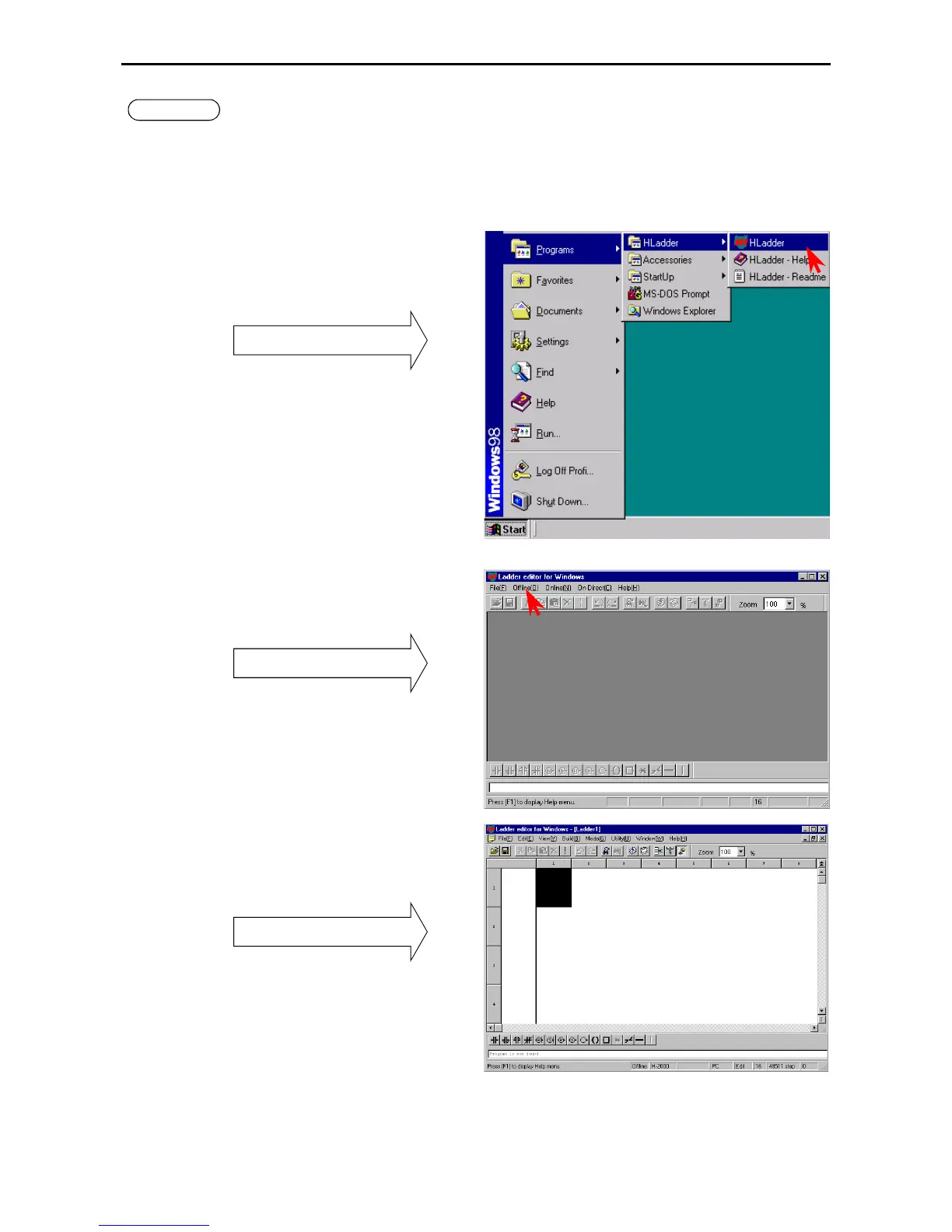
2. Start the LADDER EDITOR for Windows® system (GRS screen).
From the Start menu of Windows
®
, click
[Program] → [Hladder] → [Hladder].
As LADDER EDITOR for Windows
®
is started,
the GRS screen is displayed.
Startu
3. Switching to Offline mode.
Click [Offline] in the Menu bar.
GRS screen
The Read/Edit screen is displayed.
Mode switchin



 To Next Page