Chapter 14 Operation Examples
14-14
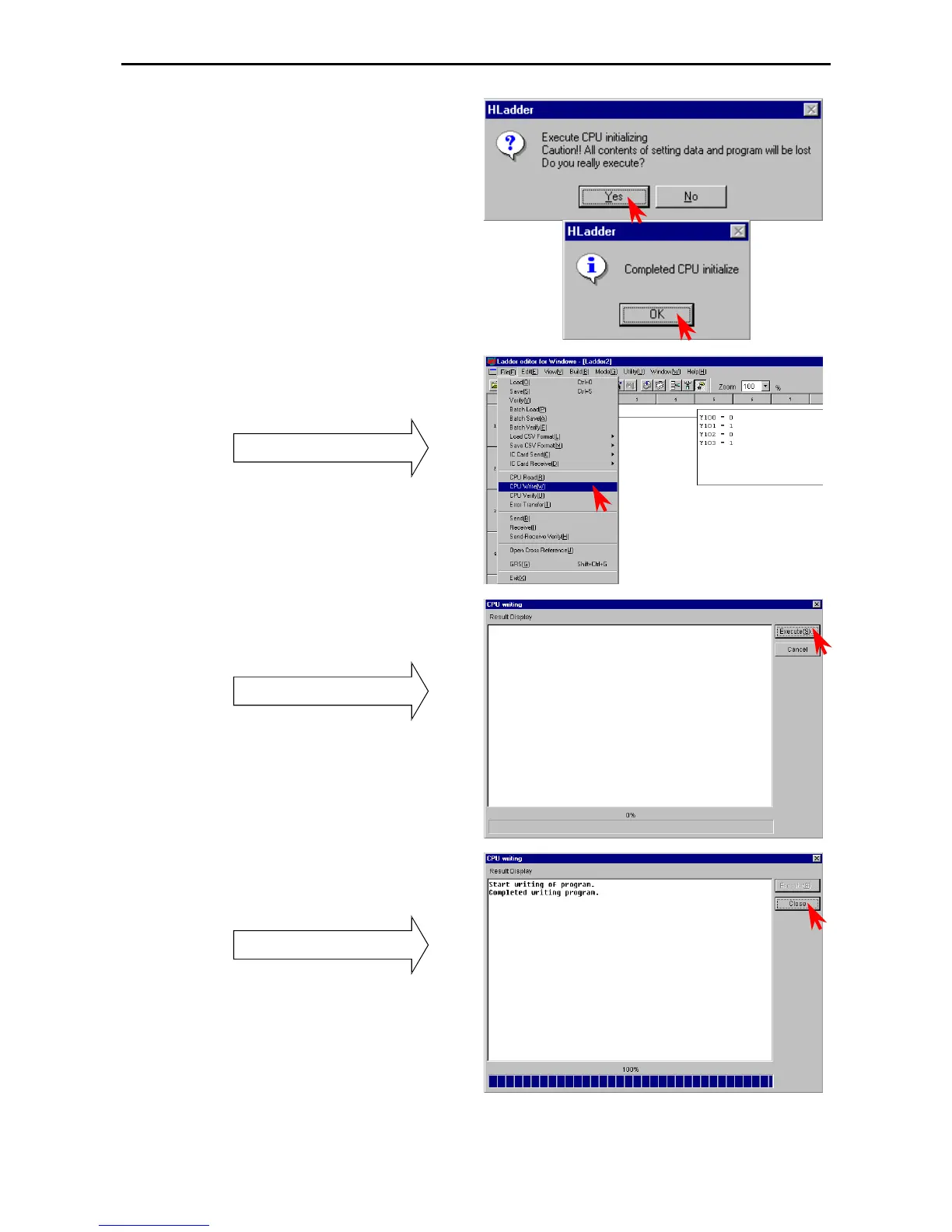
The Confirmation dialogue box is displayed; click
the [Yes] button and start the CPU initialization.
The Exit dialogue box is displayed; click the [OK]
button to close the dialogue.
3. Transferring to the CPU
Click [File] → [CPU write] in the Menu bar.
Pull-down menu
Program transfer
CPU Read: PC (personal computer) ← CPU
CPU Write: PC (personal computer) → CPU
The CPU Write dialogue box is displayed.
Click the [Execute] button.
CPU write dialogue box
When the writing is completed, the result is
displayed.
Click the [Close] button to close the dialogue box.
Display of write result



 To Next Page