Basic Operation
Powering ON/OFF
• Press the STANDBY button to switch the unit on.
• Press the STANDBY button again to switch the unit back to standby mode.
• Disconnect the mains adapter from the mains socket if you want to switch the unit o
completely.
Selecting Modes
Press the DAB/FM button repeatedly to switch between modes (DAB or FM).
Adjusting the Volume
Adjust the volume to the desired level by pressing the VOL+/– buttons.
Mute Function
Press the MUTE button to temporarily stop the speakers emitting sound. The display will
show “MUTE” and ash. To cancel mute and restore the sound, press the MUTE button
again or the VOL +/– buttons, “MUTE” will disappear from the display.
Setting the Time
The clock can only set and be updated if you can receive DAB signals in your location. In
order for the clock to synchronise to the current local time you must leave it on one DAB
station for a short period of time. If after 3 minutes the clock has not automatically set itself
try repositioning the radio to get better reception.
If the radio cannot nd a DAB frequency to set the clock. You can use the FM mode (some
FM stations also transmit time and date information).
1. Switch to FM mode by pressing the DAB/FM button.
2. Search for a station by pressing the SCAN button.
3. Press the DISPLAY button repeatedly to explore the Time & Date display.
4. If the FM station is transmitting time it will set itself automatically. Please be aware that
not all FM stations transmit the time. If the time does not set after 3 minutes then press
the SCAN button to nd another station. Repeat until the time is set.
Setting the Sleep Timer
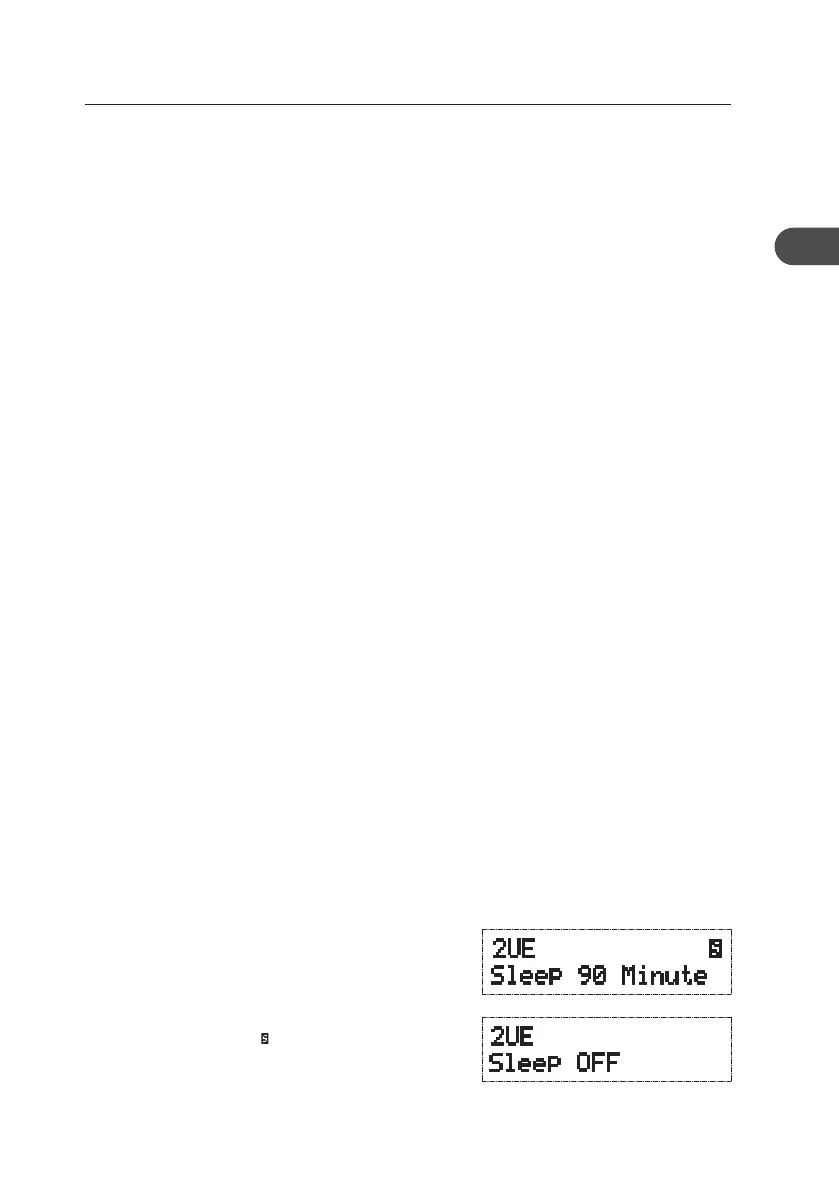
Press the SLEEP button to set the sleep time. You can
select from ve options OFF, 90 Minute, 60 Minute,
30 Minute and 10 Minute by pressing the SLEEP
button repeatedly. The selection you make will be
automatically conrmed after 5 seconds or by pressing
the SELECT button. The “ ” icon will be displayed when
the sleep timer is on. To look at the remaining sleep
time, press the DISPLAY button repeatedly to check
the remaining sleep time. To cancel the sleep function,
press the SLEEP button once.
13
GB
KH330E_IB_GB_110321.indd 13 3/21/11 2:54 PM



 To Next Page