FM Operation
In Auto mode, the unit will automatically switch between
stereo and mono mode, but you can override this and
switch this function manually. This is helpful when receiving
poor signal reception.
Switching from DAB to FM Mode
To switch the unit from DAB to FM mode, press the DAB/FM button once. The display will
show FM and the frequency.
Auto Scan
To search for an FM station, press the SCAN button to start the auto scan. Once a station
has been found, the scanning will stop automatically. Press and hold the SCAN button to
search in the opposite direction.
Manual Tune
To tune to FM stations manually, press and hold the buttons. To ne tune, press the
buttons repeatedly until your desired frequency is reached.
Audio Mode
Press the SELECT button to toggle between the Auto or Mono selection.
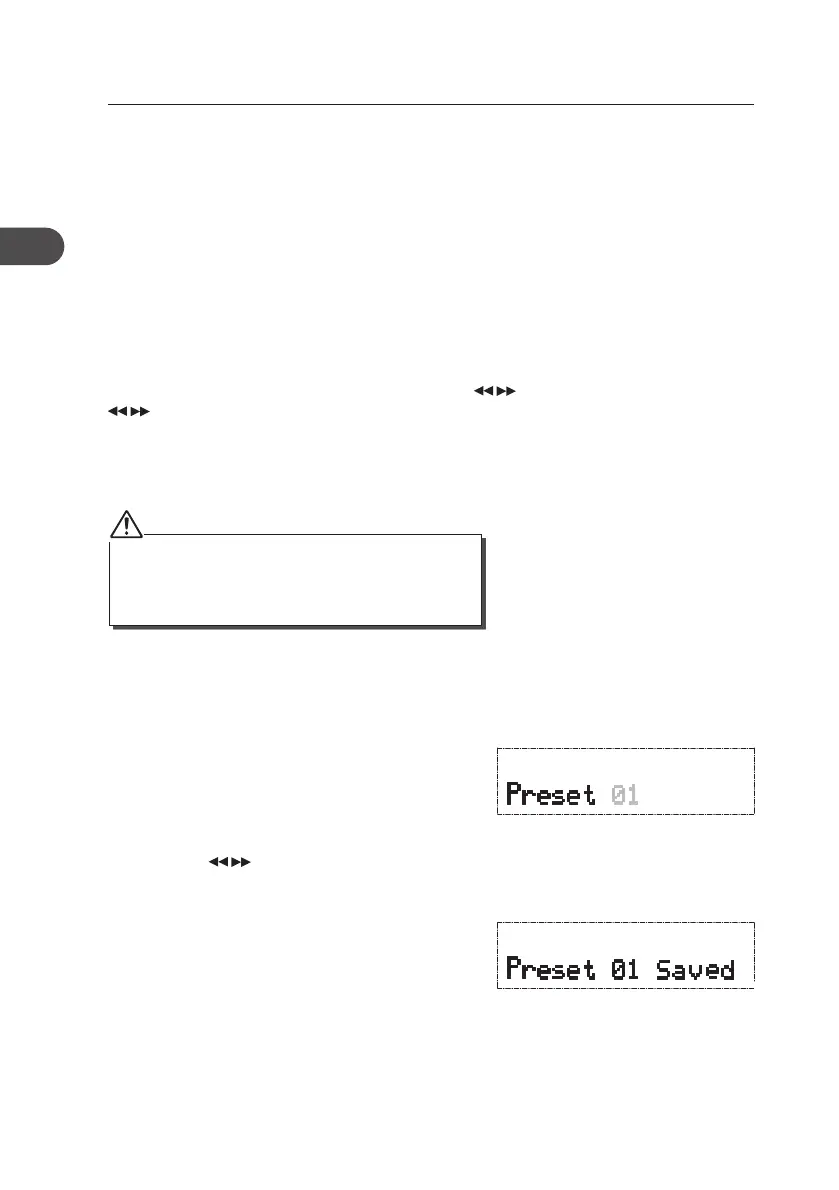
1. To store a preset, you must rst be listening to
the station that you would like to save. Press
and hold the PRESETS/SAVE button. The
“Preset #” will show on the display and the
preset number will ash.
2. Press the buttons repeatedly to select
your desired preset station number (P1–P10),
and then press the SELECT button to conrm.
3. The station will be stored and the screen will
show “Preset # Saved”.
Storing Stations
You can store up to 10 of your favourite stations to the memory. This will enable you to
access your favourite stations quickly and easily.
18
GB
KH330E_IB_GB_110321.indd 18 3/21/11 2:54 PM



 To Next Page