1. Press and hold the DISPLAY button for more
2 seconds to access Manual Tuning mode.
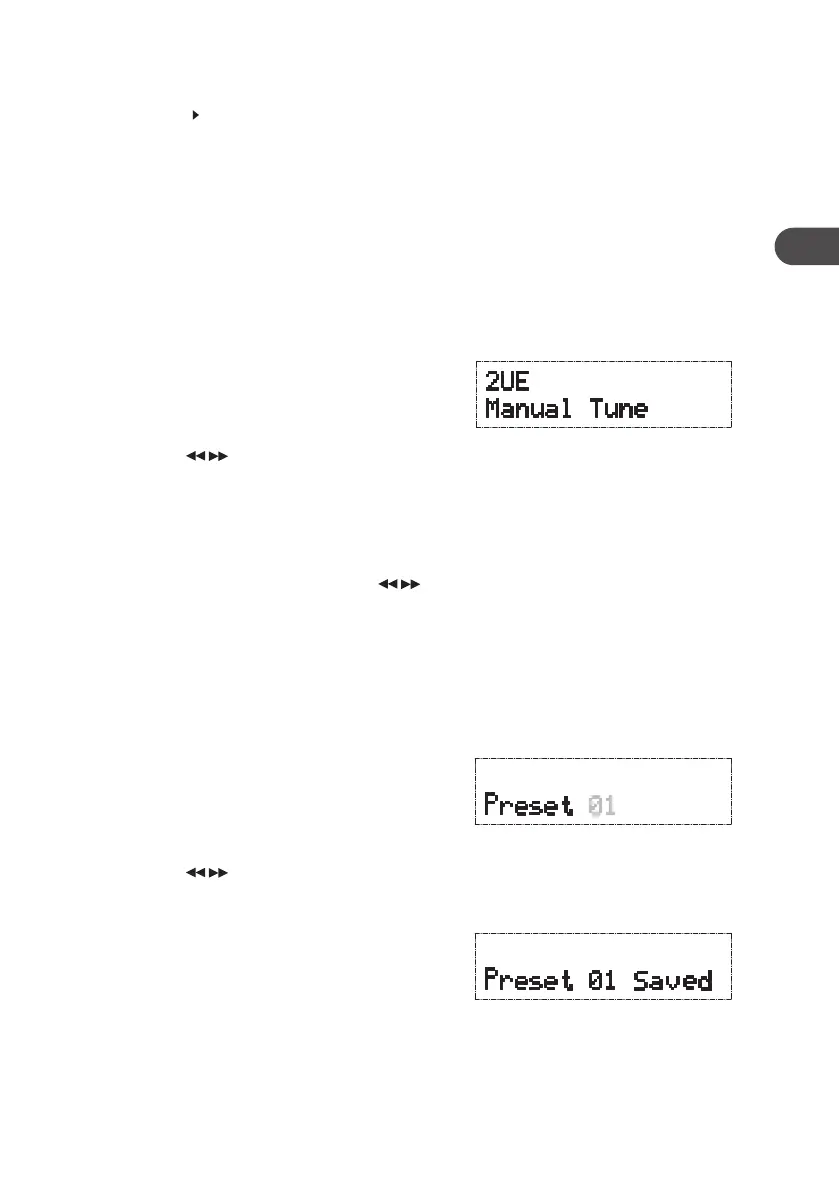
The display will show “Manual Tune”. Press the
SELECT button to conrm.
2. Press the buttons to cycle through the
DAB ensembles, which are numbered from
5A to 13F.
3. After your desired channel number is selected,
press the SELECT button to select a station that
you would like to listen to browse the stations
available in that ensemble. Press the
buttons to cycle through these stations and
press the SELECT button to conrm.
Secondary Services
You may see a “ ” symbol after the name of the station, this indicates that there are
secondary services available to that station. These secondary services contain extra
services that are related to the primary station e.g. a sports station may want to add extra
commentaries. The secondary services are inserted directly after the primary station in the
station list.
To select the secondary station, press the SELECT button. When the secondary service
ends, the unit will automatically switch back to the primary station.
Manual Tuning
As well as the auto tune function, you can manually tune the receiver. This can help you
when aligning your aerial or when adding stations that were missed while auto tuning.
Storing Stations
You can store up to 10 of your favourite stations to the memory. This will enable you to
access your favourite stations quickly and easily.
1. To store a preset, you must rst be listening to
the station that you would like to save. Press
and hold the PRESETS/SAVE button, “Preset #”
will show on the display and the preset number
will ash.
2. Press the buttons repeatedly to select
your desired preset station number (P1–P10),
and then press the SELECT button to conrm.
3. The station will be stored and the screen will
then show “Preset # Saved”.
15
GB
KH330E_IB_GB_110321.indd 15 3/21/11 2:54 PM



 To Next Page