DAB Operation
DAB Auto Scan
The auto scan will search for the entire DAB Band III channels. After the scan has nished,
the rst alphanumerically found station will be automatically tuned.
If no stations are found after auto scan, the display will show
“Service N/A”.
Auto scan will not replace the DAB stations in the memory.
If you want to remove all the previously scanned stations, a
system reset is required.
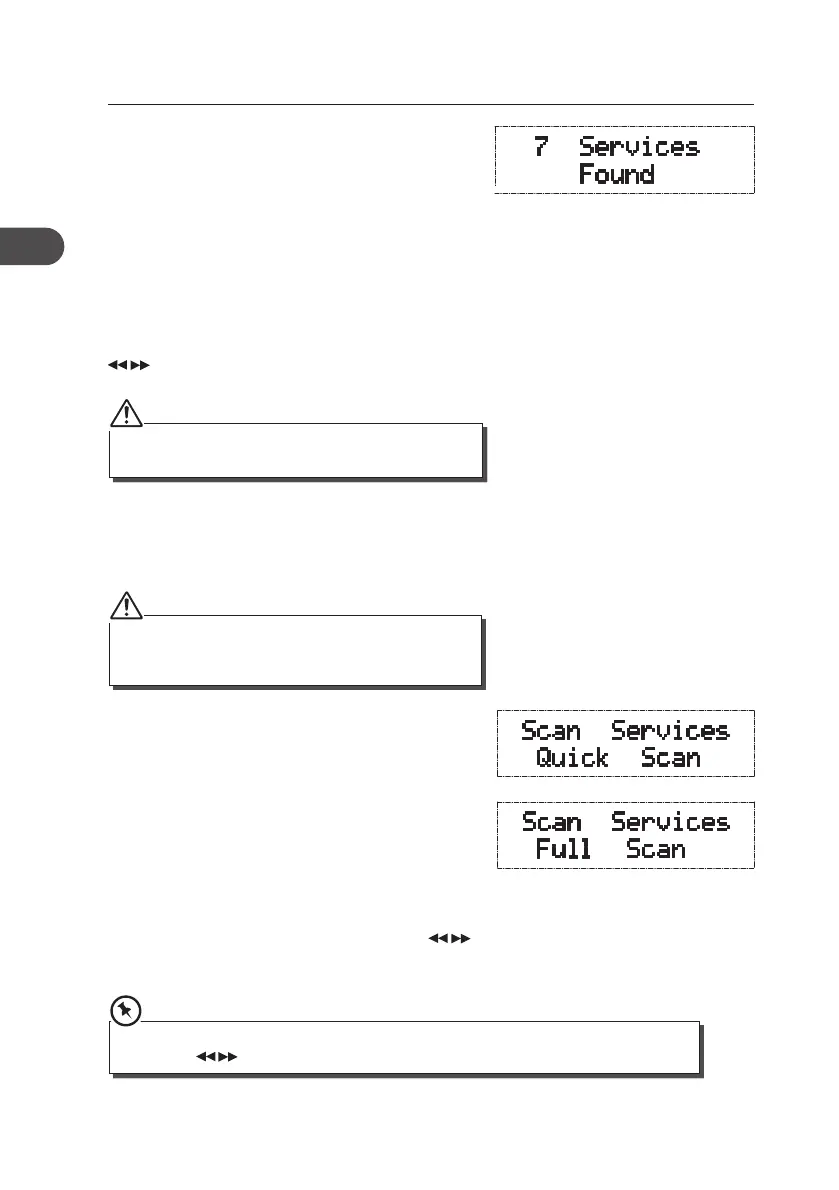
1. To activate Quick scan, press the SCAN button
and the display will show “Scan Services Quick
Scan”. This may take 30 seconds to 1 minute,
depending on the number of stations found.
2. To activate Full scan, press and hold the SCAN
button and the display will show “Scan Services
Full Scan”. This may take up to 3 minutes,
depending on the number of stations found.
3. All the stations that have been found will be
stored automatically. To explore and select
listening to the found stations, press the
buttons. When you nd a station that you would
like to listen to, press the SELECT button.
If the unit is connected to the mains power and then
switched on from standby for the rst time, the unit
will automatically enter into the DAB mode and
perform auto scan function. The display will show
“Scan Services Quick Scan” then will start to show
the frequencies and the station numbers being
scanned.
Once the scan has nished, the unit will tune to the
rst alphanumerically found station and the service
name will be displayed on the upper segment of
the display. To explore the found stations press the
buttons. When you nd a station that you
would like to listen to, press the SELECT button.
Press and hold the SELECT button to turn Auto Enter On/O. When Auto Enter is on, after
pressing the buttons to our desired station, the unit will automatically tune to this station
14
GB
KH330E_IB_GB_110321.indd 14 3/21/11 2:54 PM



 To Next Page