APPENDIX - 2
Each unit has two e-Line connectors for connection at the rear of
the main unit, and since the signals of each unit are connected in
series via the e-Line cable, synchronism of the Primaide 1000
series system can be easily achieved. For obtaining synchronism
with the D-2500 by way of contact signals, use the cables listed
below for the connection.
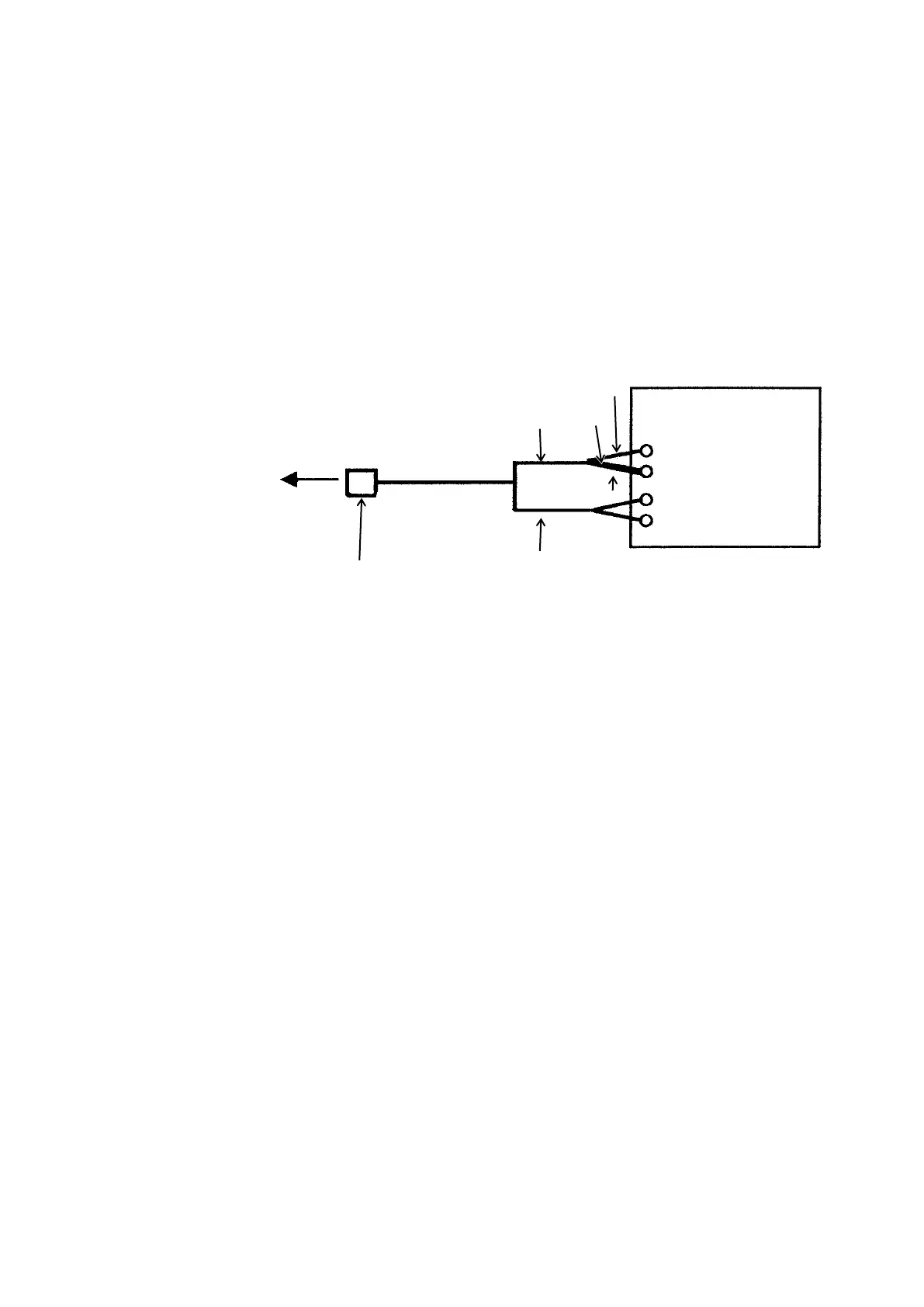
Connection with Model D-2500
Use the e-DIO cable (8DD-0585) for connection.
Connect the START L and G terminals of the e-DIO cable
(8DD-0585) to the EXTERNAL-COM terminal of the Model
D-2500.



 To Next Page