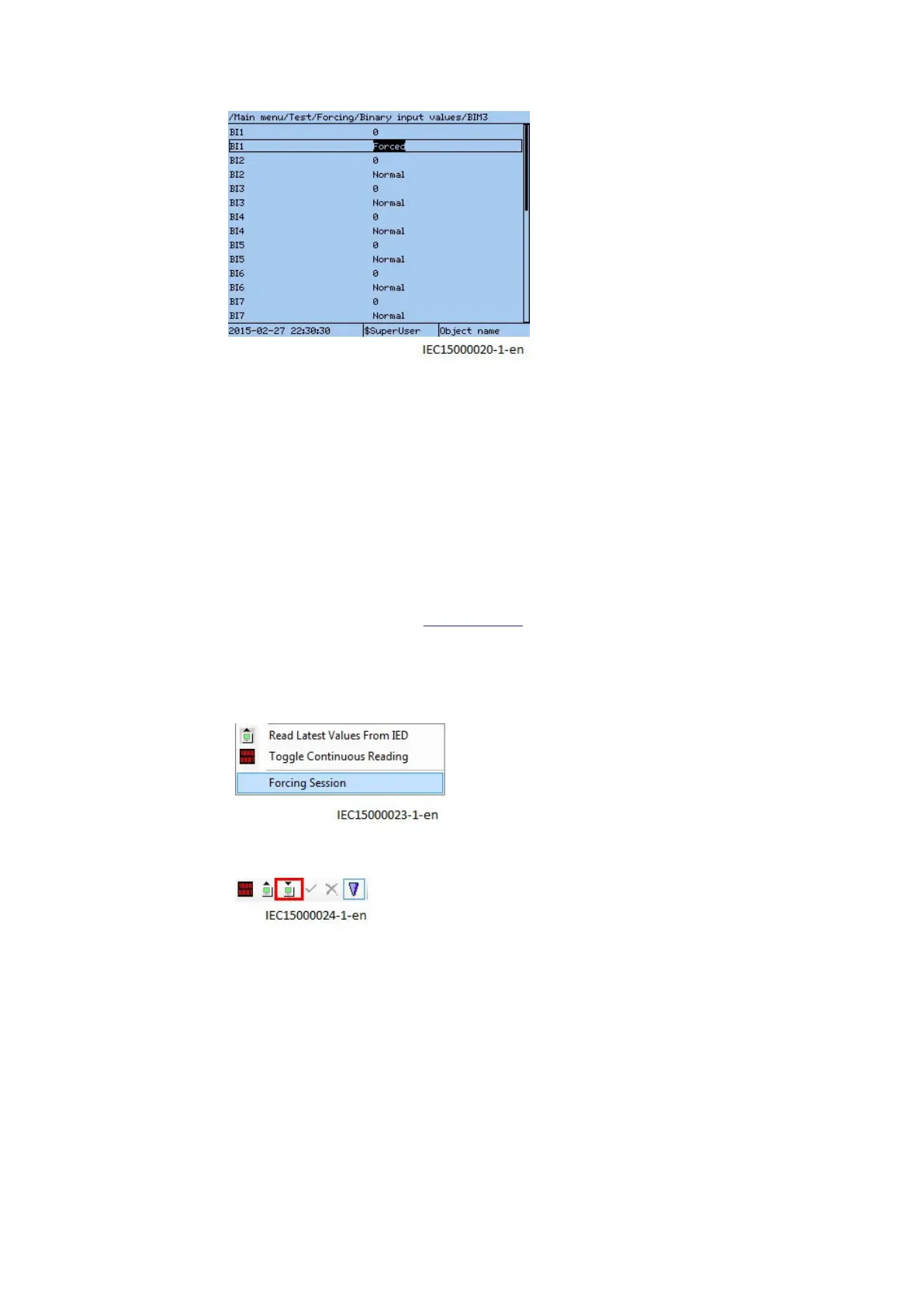
IEC15000020 V1 EN-US
Figure 22: Example of LHMI menu using BIM3
The signal “freezes” and will not change value even if, for example, a binary input signal voltage
changes level, or if a binary output is activated as the result of a protection function block activating.
10.8.3.2 Forcing by using PCM600
GUID-E9D0DAE6-7A86-4FF9-943E-42039015D05B v2
In PCM600 the concept is a bit different compared to LHMI.The forcing is accomplished by entering a
forcing session. Within such a session, multiple signals on multiple I/O boards may be edited and
changed at the same time and has no effect on the IED. Once the user is satisfied with the forcing
setup, then all the changes can be effectuated simultaneously towards the IED, potentially changing
inputs and outputs on multiple I/O boards at the same time. It is also possible to abort this operation
(described in step 6 below) and to
undo all forcing.
1. Right click on the IED in the plant structure and select Signal Monitoring.
2. Click on the List View tab.
3. Click Forcing Session in the menu IED/Start Forcing.
IEC15000023 V1 EN-US
4. Click Start editing signal value for forcing on the tool bar.
IEC15000024 V1 EN-US
The Signal Monitoring menu changes and indicates the forcing values that can be edited.
1MRK 505 378-UEN Rev. K Section 10
Testing IED operation
Line differential protection RED670 87
Commissioning manual
© 2017 - 2022 Hitachi Energy. All rights reserved



 To Next Page