5
Choosing the Operating Mode
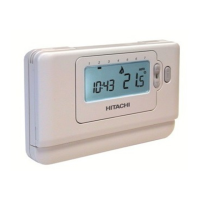
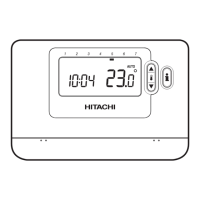
The Room Unit can operate in three different
operating mode press either of the
or
buttons. The screen indicates which mode
AUTOMAN
or OFF.
AUTO
Room
Unit
Operating the Room Unit in this mode is
temperature comfort whilst maximising
MANUAL
Room
Unit
in temperature programme. The setpoint
the
or buttons. The Room Unit will
continue to maintain this temperature until
another operating mode or temperature is
selected.
OFF
Room Unit to
control to a minimum temperature setting of
During Normal Operation
Temperature Override
AUTO
or MAN
or buttons or the
this time the
or buttons can be
Note: This
temperature override is cancelled at the
next programmed temperature change.
Temperature Enquiry
When the Room Unit
the current room temperature. To review
the programmed ‘target’
temperature which the Room Unit
target
room temperature value.
Using the Special Functions
HOLIDAY Function
To set the Holiday function:
a. Ensure the Room Unit is running in
AUTO
MAN operating
modes.
b.
button to
.
c. Press the
or time buttons to set
the green
d. Press the
or buttons to set the
press the green
The Room Unit will now control to the new
The Room Unit will then return to normal
AUTO
MAN
mode. To cancel the HOLIDAY
press the
button a second time.
Adjusting the Time
use the
or buttons to adjust the time
and press the green
button again to
Operating the Room Unit
ΕΛΛΗΝΙΚΆ SVENSKA NEDERLANDS DANSK PORTUGUÊS ITALIANO FRANÇAIS DEUTSCH ESPAÑOL ENGLISH


 To Next Page