EasyManua.ls Logo

Hitachi SJ700 Series - User Manual

Hitachi SJ700 Series
46 pages
Print Icon
To Next Page IconTo Next Page
Loading...
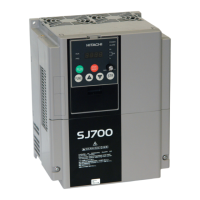
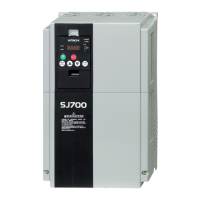
SJ700 Series
L700 Series
SJ300 Series
L300P Series
SJ-EN Ethernet Communications
Option Board
Instruction Manual
Hitachi America, Ltd.
Manual Number: HAL1051B
May 2012
After reading this manual,
keep it handy for future reference.
NOTE: REFER ALSO TO APPLICABLE INVERTER SERIES
INSTRUCTION MANUAL

Other manuals for Hitachi SJ700 Series

Questions and Answers

Summary

Chapter 1 - General Description

Safety Precautions

Outlines critical safety warnings and procedures for handling and installing the option board.

Chapter 2 - Installation and Wiring

Installing the Option Board

Provides step-by-step instructions for physically installing the SJ-EN option board into the inverter.

Chapter 3 - Configuration

Install NetEdit3 Software

Instructions for installing the required NetEdit3 software for configuring the SJ-EN board.

Configure SJ-EN Board

Details the process of setting up the SJ-EN board, including DIP switches and initial connections.

Chapter 5 - Troubleshooting

Troubleshooting Guide

Provides common causes, checks, and remedies for issues encountered with the SJ-EN option board.

Summary

Chapter 1 - General Description

Safety Precautions

Outlines critical safety warnings and procedures for handling and installing the option board.

Chapter 2 - Installation and Wiring

Installing the Option Board

Provides step-by-step instructions for physically installing the SJ-EN option board into the inverter.

Chapter 3 - Configuration

Install NetEdit3 Software

Instructions for installing the required NetEdit3 software for configuring the SJ-EN board.

Configure SJ-EN Board

Details the process of setting up the SJ-EN board, including DIP switches and initial connections.

Chapter 5 - Troubleshooting

Troubleshooting Guide

Provides common causes, checks, and remedies for issues encountered with the SJ-EN option board.

Hitachi SJ700 Series Specifications

General IconGeneral
ModelSJ700 Series
Overload Capacity150% for 60 seconds
Cooling MethodForced air cooling
AltitudeUp to 1000m without derating
Output Frequency0.1 to 400 Hz
Control MethodV/f control, Sensorless vector control
Protection FeaturesOvercurrent, Overvoltage, Undervoltage, Overheat, Ground Fault
Communication OptionsRS-485, Modbus
Braking UnitBuilt-in
Ambient Temperature-10°C to +50°C
EnclosureIP20
Operating Temperature-10°C to +50°C
Humidity5 to 95% RH (non-condensing)
Input Voltage200-240V AC, 380-480V AC
Storage Temperature-20°C to +65°C

Related product manuals