EasyManua.ls Logo

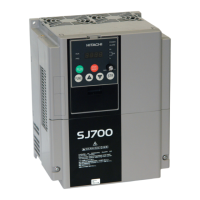
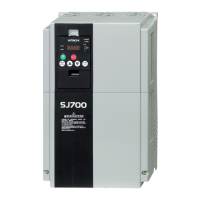
Hitachi SJ700-4000HFU2 - User Manual

Hitachi SJ700-4000HFU2
286 pages
Print Icon
To Next Page IconTo Next Page
Loading...
HITACHI INVERTER
SJ700D-3 SERIES
INSTRUCTION MANUAL
Read through this Instruction Manual, and keep it handy for future reference.
NT231X

Table of Contents

Questions and Answers

  • A
    alexiscaldwellAug 14, 2025
    What to do if my Hitachi SJ700-4000HFU2 Inverter shows overload protection?
    • C
      Christina BriggsAug 14, 2025
      If the Hitachi Inverter displays an overload protection error, it might be due to a high motor load. Try reducing the load factor. Also, ensure that the thermal level is appropriately adjusted. Keep in mind that the electronic thermal protection can be easily triggered when the output frequency is 5 Hz or less. If the load has a large moment of inertia, this protection might activate during motor acceleration, possibly disabling the acceleration. If this occurs, consider increasing the torque boost current or adjusting other settings as needed.
  • E
    edward34Aug 21, 2025
    Why does my Hitachi SJ700-4000HFU2 Inverter show overvoltage protection?
    • A
      Alexandra ThompsonAug 21, 2025
      If your Hitachi Inverter is showing overvoltage protection errors, it may be due to several reasons. Increase the deceleration time if the inverter has decreased the motor quickly. Check the output cables and motor for a ground fault. Reduce the regenerative energy if the motor has been rotated by the action of the load.
  • A
    Amy TerryAug 29, 2025
    What to do if my Hitachi SJ700-4000HFU2 Inverter shows braking resistor overload protection?
    • J
      johnsonchristyAug 30, 2025
      If your Hitachi Inverter is showing braking resistor overload protection errors, it may be due to several reasons. Increase the deceleration time if the inverter has decreased the motor quickly. Prolong the operation cycle if the operation cycle is too short. Adjust the setting to an appropriate level if the set BRD operation rate is too low. Also, confirm the maximum allowable capacity of the resistor.
  • C
    chapmanbrandonNov 6, 2025
    What to do if my Hitachi SJ700-4000HFU2 shows overcurrent protection?
    • K
      Karen HammondNov 6, 2025
      If your Hitachi Inverter is showing overcurrent protection errors, several factors could be at play. First, examine the load for sharp fluctuations and eliminate them. Check the output connections for any short circuits and inspect the output cables. Also, verify there are no ground faults by checking the output cables and the motor. Ensure that the inverter isn't decelerating the motor too quickly by increasing the deceleration time. Also, verify that the inverter isn't accelerating the motor too quickly by increasing the acceleration time. Check the motor and wiring for any locking issues. Reduce the boost current if the torque boost current is set too high. Reduce the braking force if the DC braking force is too high. Finally, check the current detector (CT) and replace or repair it if ...

Summary

Chapter 1 Overview

1.1 Inspection of the Purchased Product

Describes how to inspect the inverter after unpacking for damage and completeness.

1.2 Method of Inquiry and Product Warranty

Explains how to inquire about product issues and details the product warranty terms and exclusions.

1.3 Exterior Views and Names of Parts

Shows an exterior view of the inverter and identifies its main parts and terminals.

Chapter 2 Installation and Wiring

2.1 Installation

Describes how to install the inverter and provides general installation precautions.

2.2 Wiring

Details the wiring of main circuit and control signal terminals with examples.

Chapter 3 Operation

3.1 Operating Methods

Describes typical methods of operating the inverter and the items required for operation.

3.2 How To Operate the Digital Operator (OPE-SBK)

Explains how to operate the inverter using the digital operator and its components.

3.3 How To Make a Test Run

Guides through the process of making a test run of the inverter with external devices.

3.5 Basic Parameter Setting to Drive Motor

Covers basic parameter settings needed to drive the motor with the inverter.

Chapter 4 Explanation of Functions

4.1 Monitor Mode

Explains how to use the monitor mode to check various inverter operating parameters.

4.2 Function Mode

Covers various function modes for setting inverter parameters, including output frequency and rotational direction.

4.4 Communication Functions

Details communication functions, including ASCII and Modbus-RTU protocols.

Chapter 5 Error Codes

5.1 Error Codes and Troubleshooting

Describes inverter error codes, their indications, and troubleshooting methods.

Chapter 6 Maintenance and Inspection

6.1 Precautions for Maintenance and Inspection

Outlines essential safety precautions before performing maintenance, inspection, or parts replacement.

6.2 Daily and Periodic Inspections

Describes daily inspection checks and periodic inspection procedures for ensuring proper inverter operation.

6.5 Method of Checking the Inverter and Converter Circuits

Details how to check the quality of inverter and converter circuits using a tester.

Chapter 7 Specifications

7.1 Specifications

Details the specifications of the inverter for 200 V class and 400 V class models, including capacity, voltage, and current ratings.

7.2 External dimensions

Provides external dimensions for various SJ700D models.

Chapter 8 List of Data Settings

8.1 Precautions for Data Setting

Provides important precautions to follow before setting data or parameters in the inverter.

8.2 Monitoring Mode

Explains how to change the initial display content of the operator after powering on.

8.3 Function Mode

Lists function codes related to output frequency setting, keypad run key routing, and rotational direction restriction.

8.4 Extended Function Mode

Lists extended function modes that are available for advanced configurations.

Appendix

Upgrading from the SJ300 Series

Provides guidance on upgrading from the SJ300 series, including control circuit terminal block replacement and parameter copying.

Hitachi SJ700-4000HFU2 Specifications

General IconGeneral
ModelSJ700-4000HFU2
Input Frequency50/60 Hz ±5%
Output Frequency0.1 - 400 Hz
Rated Output Capacity400 kVA
Overload Capacity150% for 60 seconds
Cooling MethodForced Air Cooling
Operating Temperature-10°C to +50°C
Storage Temperature-20°C to +65°C
Enclosure RatingIP20
Input Voltage380V - 480V
Protection FeaturesOvercurrent, Overvoltage, Undervoltage, Overheat
Communication InterfaceRS-485 (Modbus RTU)
Ambient Humidity5% to 95% (non-condensing)
Control MethodSine wave PWM control

Related product manuals