Version 1.0, 11/2017. Copyright 2012 Hitron Technologies
11
Version 1.0, 11/2017. Copyright 2017 Hitron Technologies
11
Hitron E31N2V1 User’s Guide
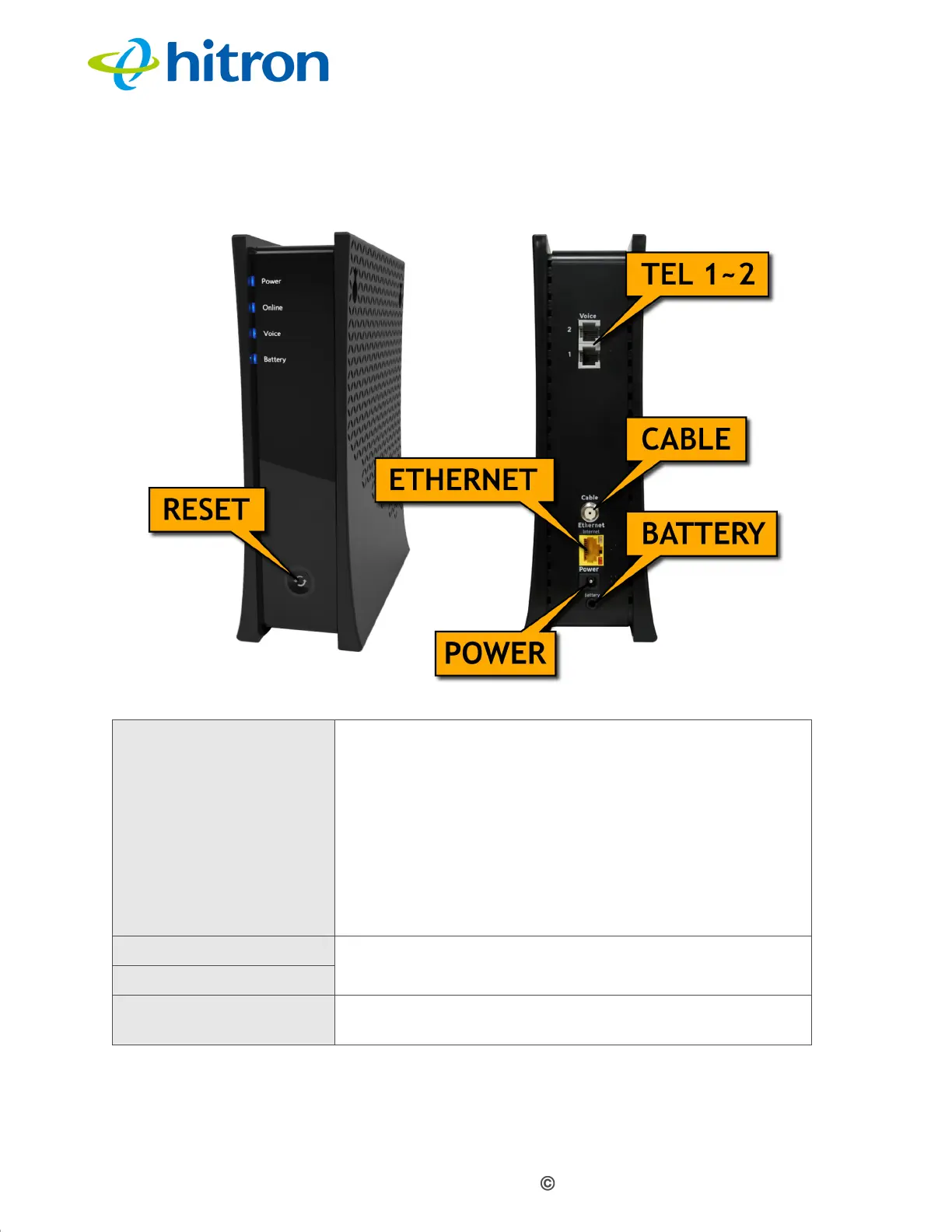
Figure 2: Hardware Connections
Table 2: Hardware Connections
RESET Use this button to reboot or reset your E31N2V1 to its
factory default settings.
To reboot the E31N2V1, press the button and hold it for
four seconds, then release. The E31N2V1 restarts,
using your existing settings.
To reset the E31N2V1, press the button and hold it for
ten seconds or more, then release. All user-configured
settings are deleted, and the E31N2V1 restarts using its
factory default settings.
TEL 1 Use these ports to connect your analog phones for VoIP
services, using cables with RJ11 connectors.
TEL 2
CABLE Use this to connect to the Internet via an F-type RF
cable.


 To Next Page