Version 1.0, 11/2017. Copyright 2012 Hitron Technologies
13
Version 1.0, 11/2017. Copyright 2017 Hitron Technologies
13
Hitron E31N2V1 User’s Guide
1.3 Battery Operations
The E31N2V1 has an optional battery backup unit (BBU) enabling you to connect a
lithium-ion battery that provides emergency power to the device in the event of a
power outage. If you ordered this option, connect the battery by following the Quick
Installation Guide that accompanied it.
NOTE: The E31N2V1 battery is intended for use as a backup to the main power
source, not as a replacement for it. For optimal power performance you
should use the battery in conjunction with the main power source.
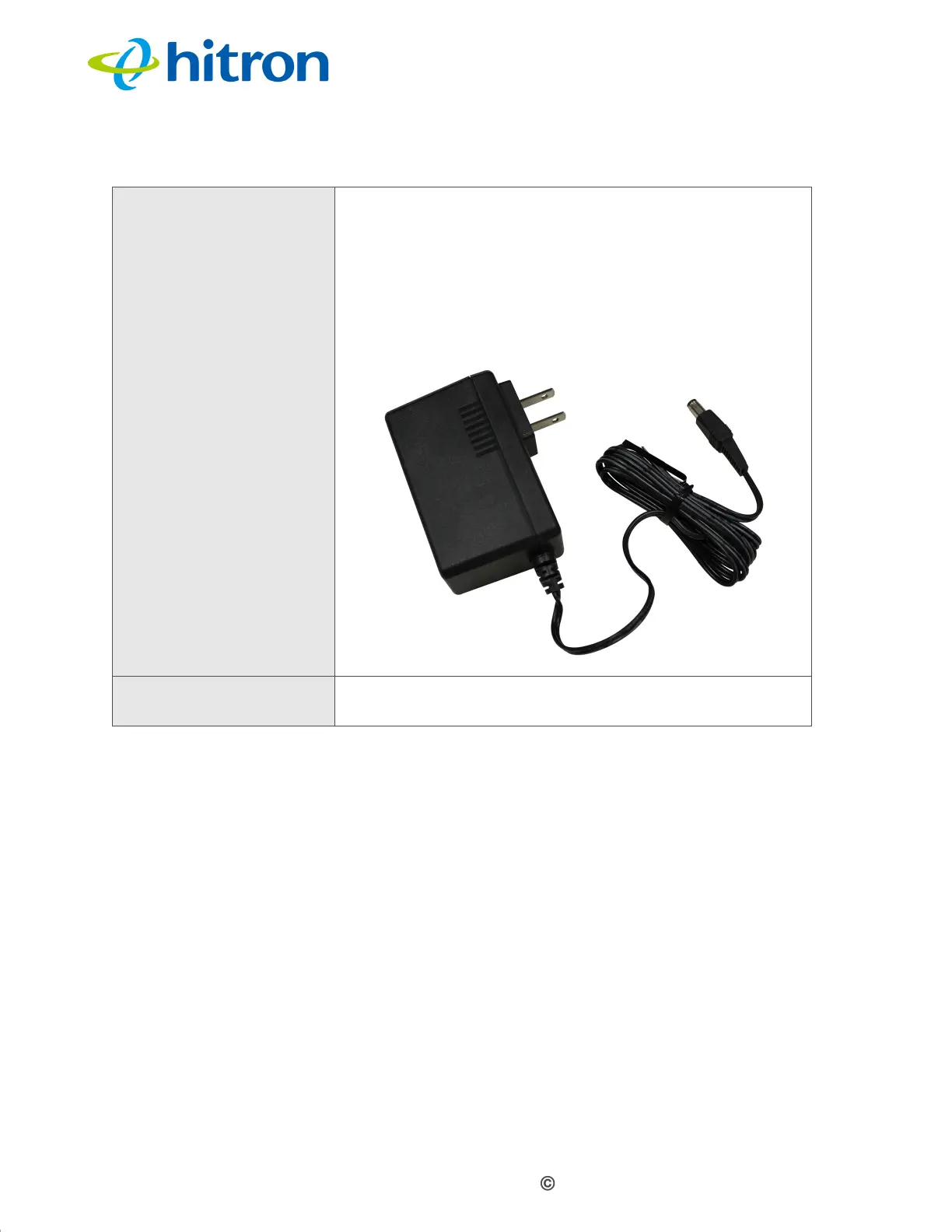
POWER Use this to connect to the 12v/1.5A power adapter that
came with your E31N2V1.
NEVER use another power adapter with your
E31N2V1. Doing so could harm your E31N2V1.
Figure 3: Power Adaptor
BATTERY Use this port to connect the optional battery back up unit
(see Battery Operations on page 13).
Table 2: Hardware Connections


 To Next Page