10
PLATEN PRESSURE
The pressure control knob, located on the top of the
machine, should be set so that the heat head will lock
down rmly.
Pressure is reduced by turning knob (with machine
open) counter-clockwise and increased by turning
it clockwise.
PLATEN PRESSURE READOUT
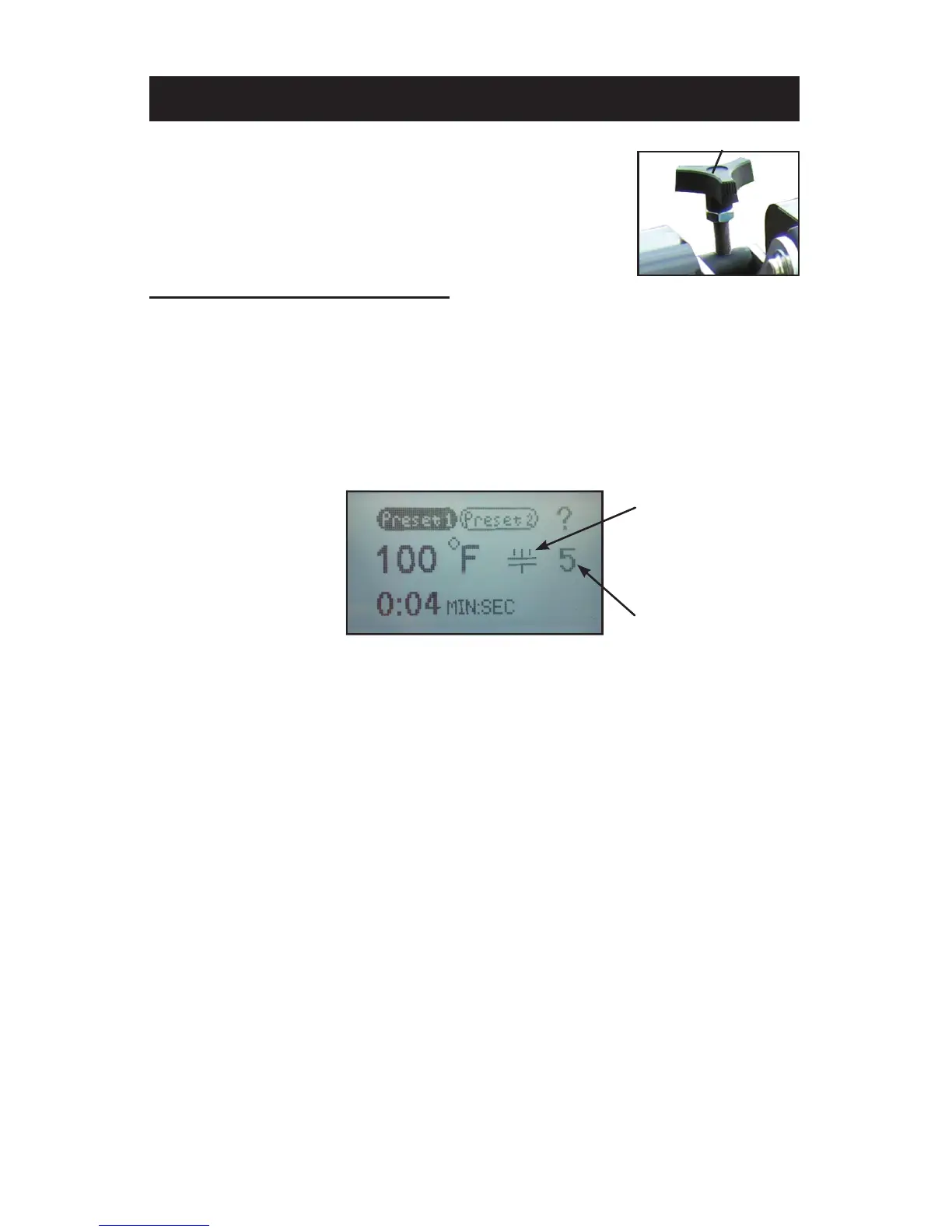
The amount of platen pressure being exerted on the transfer and
substrate can be monitored on the controller. When the machine is
closed, the platen pressure is expressed in a numerical value between
0-9 on the controller home screen. Values of 0-3 indicate “light” pressure,
4-6 “medium” pressure and 7-9 “heavy” pressure. If the value exceeds
9 then “Pressure High” will appear on the display indicating that the
maximum value that can be displayed has been exceeded.
NOTE: Adjustments may be required from one garment to another and will
vary to achieve the desired result.
WARNING: Excessive pressure can cause structural damage, voiding
the machine warranty!
ATTENTION: Pression excessive peut endommager la machine et
annuler la garanti.
Pressure knob
HOME MENU SCREEN
PLATEN PRESSURE
READOUT VALUE
PLATEN PRESSURE
INDICATOR ICON



 To Next Page