Need help?
Do you have a question about the HKC HQ-015 and is the answer not in the manual?
Outlines precautions for reducing risk of personal injury and equipment damage.
Ensuring correct model, torque, speed, voltage, and duty cycle before installation.
Safety precautions and requirements for installing actuators in potentially explosive environments.
Instructions on how to mount the actuator, including alignment and securing methods.
Procedures for setting limit switches and information on torque switches.
Procedure for adjusting the mechanical travel stops for open and close positions.
Guide for re-calibrating the potentiometer if required, including resistance measurements.
Step-by-step instructions for calibrating the Zero and Span settings of the CPT.
Overview of the PCU, including its function and types (AC/DC).
Defines deadband and provides adjustable setting ranges for PCU units.
Explains deadtime, its purpose for preventing noise, and adjustable setting ranges.
Configuration for Fail Close, Fail Open, and Fail Stop modes using DIP switches.
Procedure for setting Zero and Span signals for the actuator using DIP switches.
Guidelines for making electrical connections and performing preliminary tests before operation.
Connecting wires, testing motor rotation, and verifying limit switch function.
Guidelines for regular maintenance, including safety warnings and interval recommendations.
Troubleshooting steps for when the actuator shows no response to commands.
Steps to diagnose why the actuator has power but fails to operate.
Troubleshooting steps for when the actuator operates erratically or inconsistently.
Procedure for addressing detected defects that may affect safety during maintenance.
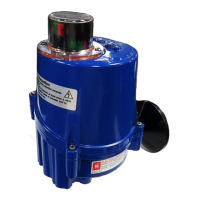
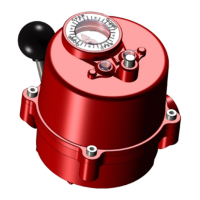
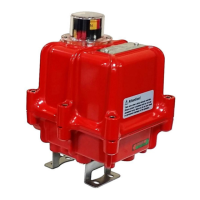
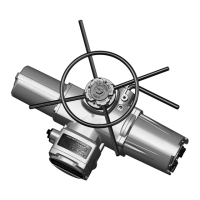
The HKC HQ Series Quarter-turn Electric Actuator is designed for the operation of industrial valves, such as butterfly and ball valves. This manual provides comprehensive instructions for its installation, operation, and maintenance.
The HQ Series electric actuators provide precise control for quarter-turn valves. They are equipped with a declutchable manual override system, allowing for manual operation in case of power failure or for initial setup. The actuators can be configured for clockwise (standard) or counter-clockwise rotation to close, by adjusting the wiring and PCU board settings.
The actuators feature limit switches to define the fully open and fully closed positions, and torque switches to prevent damage from overload conditions. An optional Current Position Transmitter (CPT) provides a 4-20mA output signal, indicating the current valve position. For more advanced control, a Proportional Control Unit (PCU) is available, offering various input and output signal types, dead time, and dead band settings. Communication protocols like ProfiBus and ModBus are also supported as optional features, enabling remote control and monitoring.
 General
| D-Pad | Yes |
|---|---|
| Connectivity Technology | Wired |
| Platform | PC |
| Compatibility | Windows |
| Connection | USB |
| Vibration | Yes |
| Analog Sticks | 2 |


 To Next Page