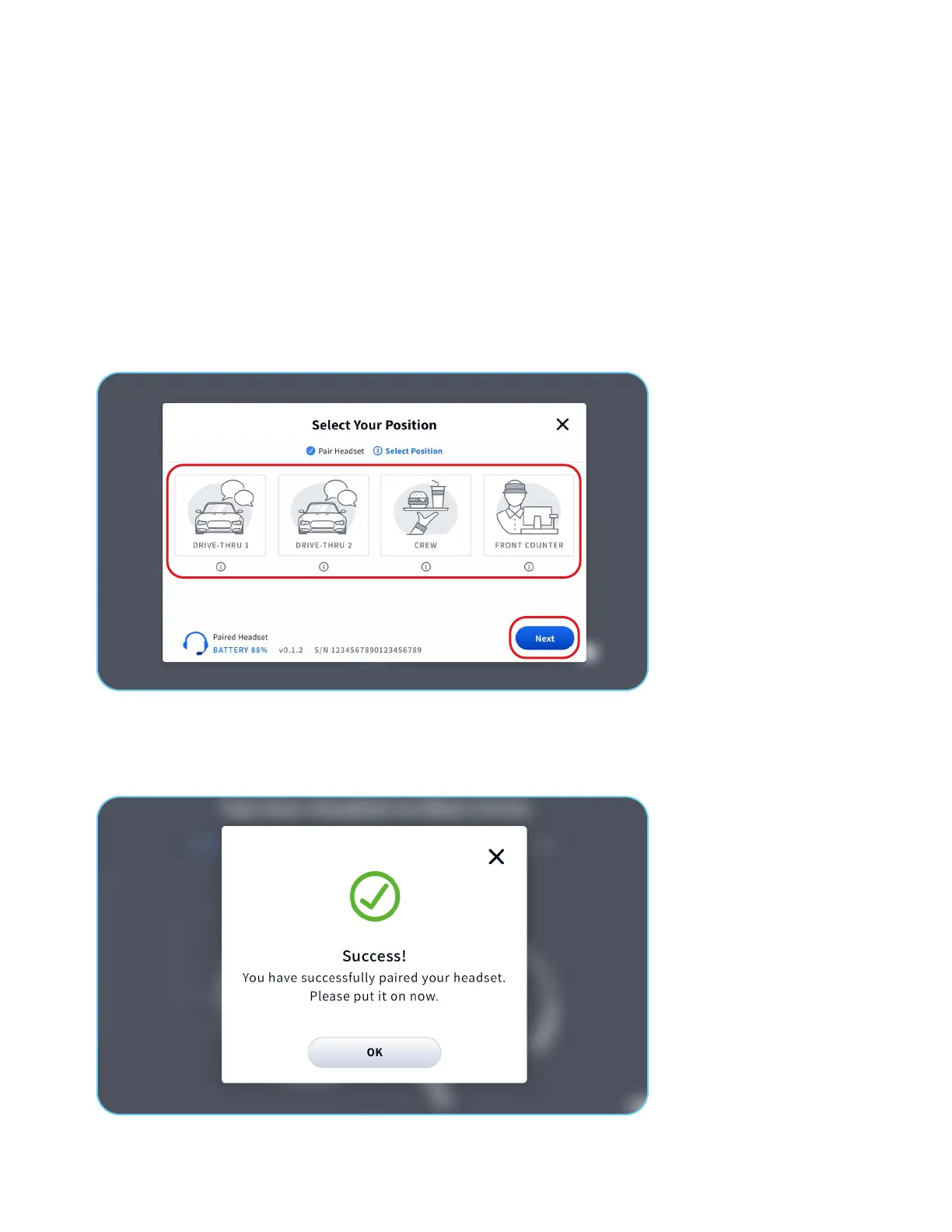
1. Once your headset is paired, the Select Your Position screen displays.
4 of 6
2. Select the position your manager has assigned to you.
1. DRIVE-THRU 1 allows your to hear Drive-Thru communication for Lane 1.
2. DRIVE-THRU 2 allows your to hear Drive-Thru communication for Lane 2.
3. CREW allows communication with everyone in the Crew Group and team members in the Drive-Thru Group.
Note: Crew positions will NOT hear drive-thru orders. If your duties, such as kitchen or beverage station require you to hear the
customer in the drive-thru, you must select a Drive-Thru communications group.
4. FRONT COUNTER only communicates with and hears reminders and alerts for the Front Counter Group.
Selecting Your Position
3. Tap the Next button.
4. The Success Pairing conrmation will display.
Note: If you select the Crew and Front Counter positions, the Success conrmation will immediately display, and your headset will
be ready to use.



 To Next Page