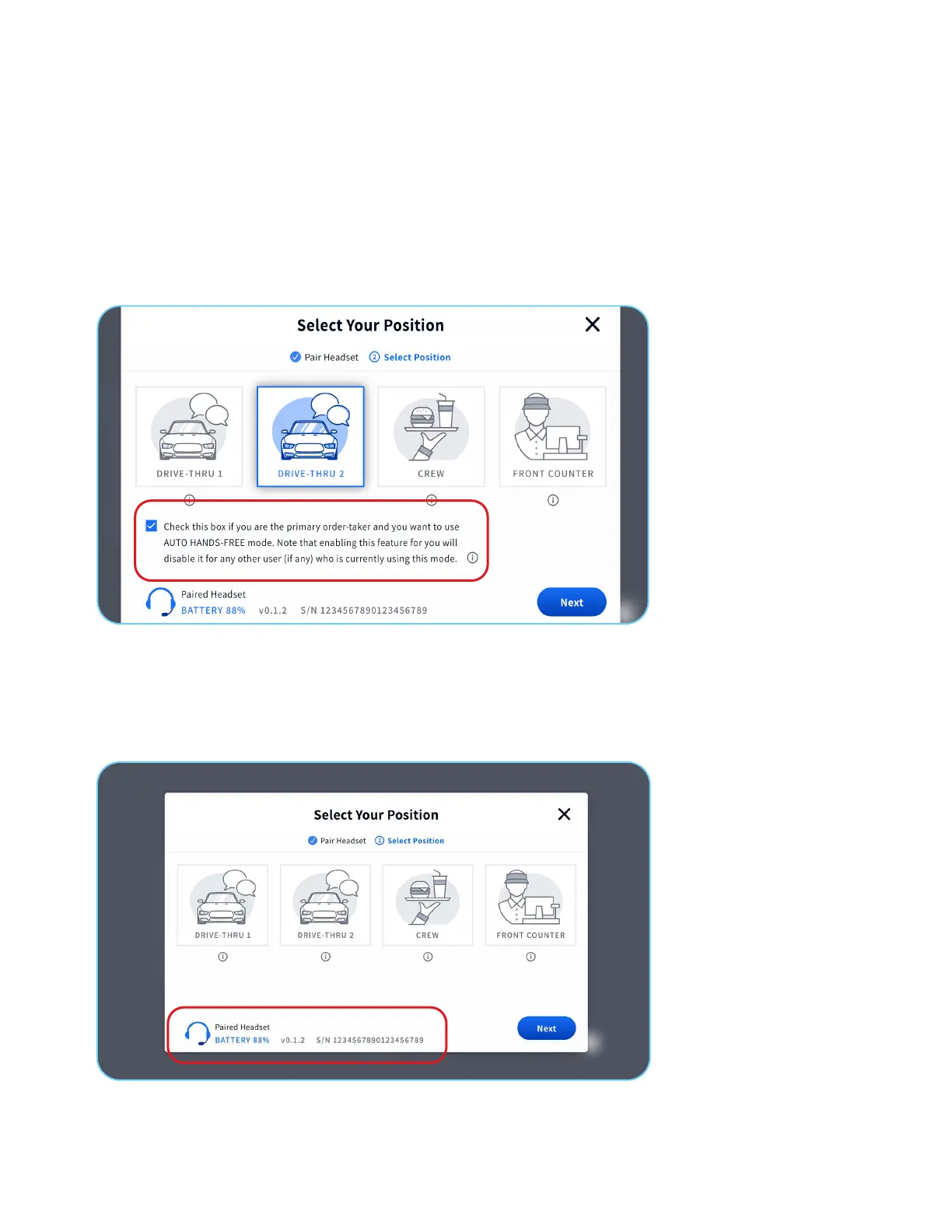
1. Tap the checkbox to enable AUTO HANDS-FREE mode.
Auto Hands-Free Mode
When selecting the Drive Thru 1 or Drive Thru 2 position, you may select Auto Hands-Free mode. Auto
Hands-Free mode allows the order-taker freedom from pressing the lane button when a car arrives at the menu.
2. When a car arrives at the menu, the headset automatically activates the lane button (1 and 2 on the headset interface).
3. Once the customer completes their order and drives away from the Menu, the headset automatically disconnects the lane
button until the next car arrives.
Note: Only one headset per lane and a maximum of two headsets per store can operate in Auto Hands-Free mode, one
headset for Lane 1 and another headset for Lane 2.
1. In the bottom left corner, the Paired Headset icon and the remaining battery percentage will display.
2. The Version of the headset and Serial Number will also display.
Additional Base Station Information
5 of 6



 To Next Page