Press the MODE key.
“Kilojoule” flashes, press the UP or DOWN key.
Press the MODE key.
“Pulse” flashes , press the UP or DOWN key.
Press the MODE key.
Start Pedaling to start Workout, press the UP or DOWN key to adjust resistance load during
workout.
User Program
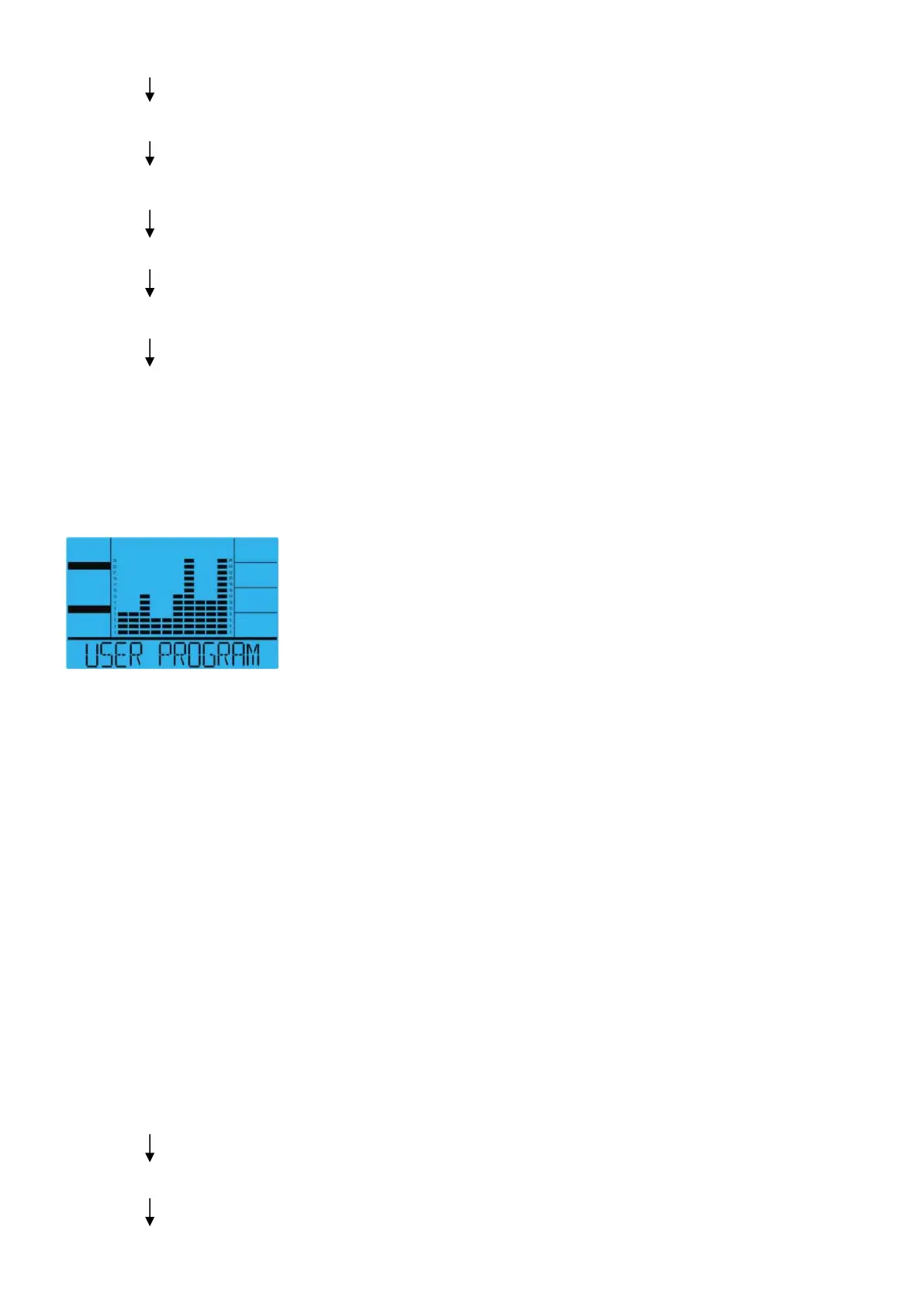
Display graphics:
User program allows user to create their own program that can be used immediately and on
subsequent workouts.
Create User Profile
Selecting user mode using the USER PROGRAM key ,then press the MODE key. The text
window will display” Select Profile” 4 seconds, meanwhile Segment 1 will flash. Adjust the UP or
DOWN key to set desired resistance load. Press the MODE key to move to next segment
continue for all 10 segments.
Setting Parameters for User Program
After that 1
st
parameter “Time” will flash so value can be adjusted using the UP or DOWN key .
Press the MODE key to save value & move to next parameter to be adjusted. Continue through
all the desired parameters, start pedaling to begin workout.
Note: The final 10 segments profile will be saved for future workouts.
“User” Operating Instructions
Press the USER PROGRAM key (Select “User” Mode using the USER PROGRAM Program
Key).
Press the MODE key or Start Pedaling to start workout.


 To Next Page