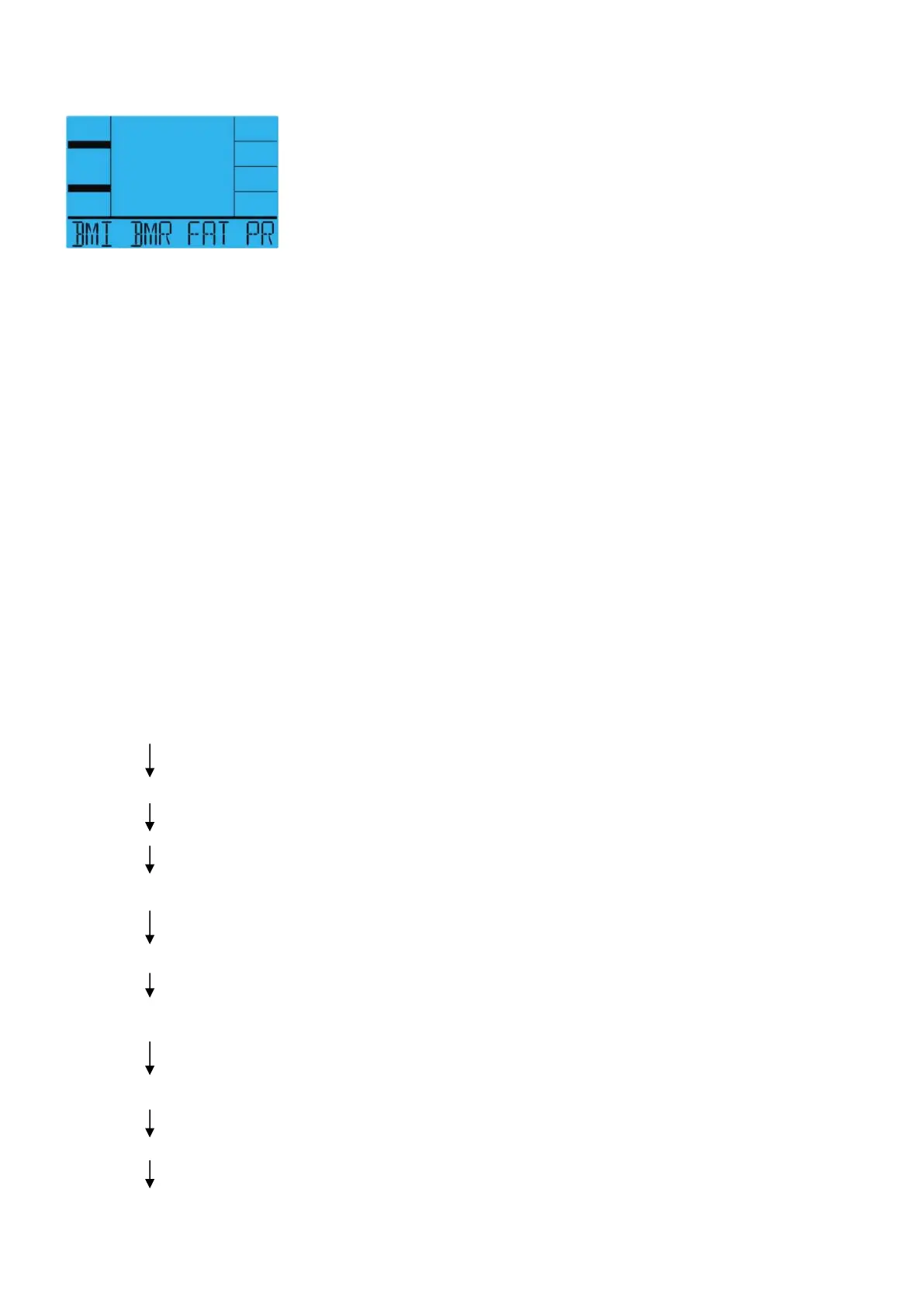
BMI BMR FAT PROGRAM
Display graphics:
Setting Data for BMI BMR FAT
Selecting “BMI BMR FAT” pressing the BMI BMR FAT PROGRAM key, then pressing the
MODE key.
The text window will display “SELECT AGE” for 3 seconds, meanwhile “30” will flash so Age can
be adjusted using the UP or DOWN key , press the MODE key to save value & move to next
data.
The text window will display ‘SELECT GENDER” 3 seconds, meanwhile “♂” of Gender will
flash so Gender can be adjusted using the UP or DOWN key , press the MODE key to save
gender & move to next data.
The text window will display “SELECT WEIGHT” for 3 seconds, meanwhile “ 75” of Weight will
flash so weight can be adjusted to use the UP or DOWN key , press the MODE key to save
value & move to next data.
The text window will display “SELECT SIZE” 3 seconds, meanwhile “ 175 “of Height will flash
so Height can be adjusted to use the UP or DOWN key , press the MODE key to save value
Press the MODE key to start measurement, please also grasp hand pulse grips.
“BMI BMR FAT” Operating Instructions
Press the BMI BMR FAT PROGRAM key (Select Manual Mode using the BMI BMR FAT Key)
Press the MODE key.
“ AGE” flashes, press the UP OR DOWN key.
Press the MODE key.
“GENDER” flashes, press the UP OR DOWN key.
Press the MODE key.
“WEIGT” flashes, press the UP OR DOWN key.
Press the MODE key.
“HEIGHT” flashes, press the UP OR DOWN key.


 To Next Page
 Loading...