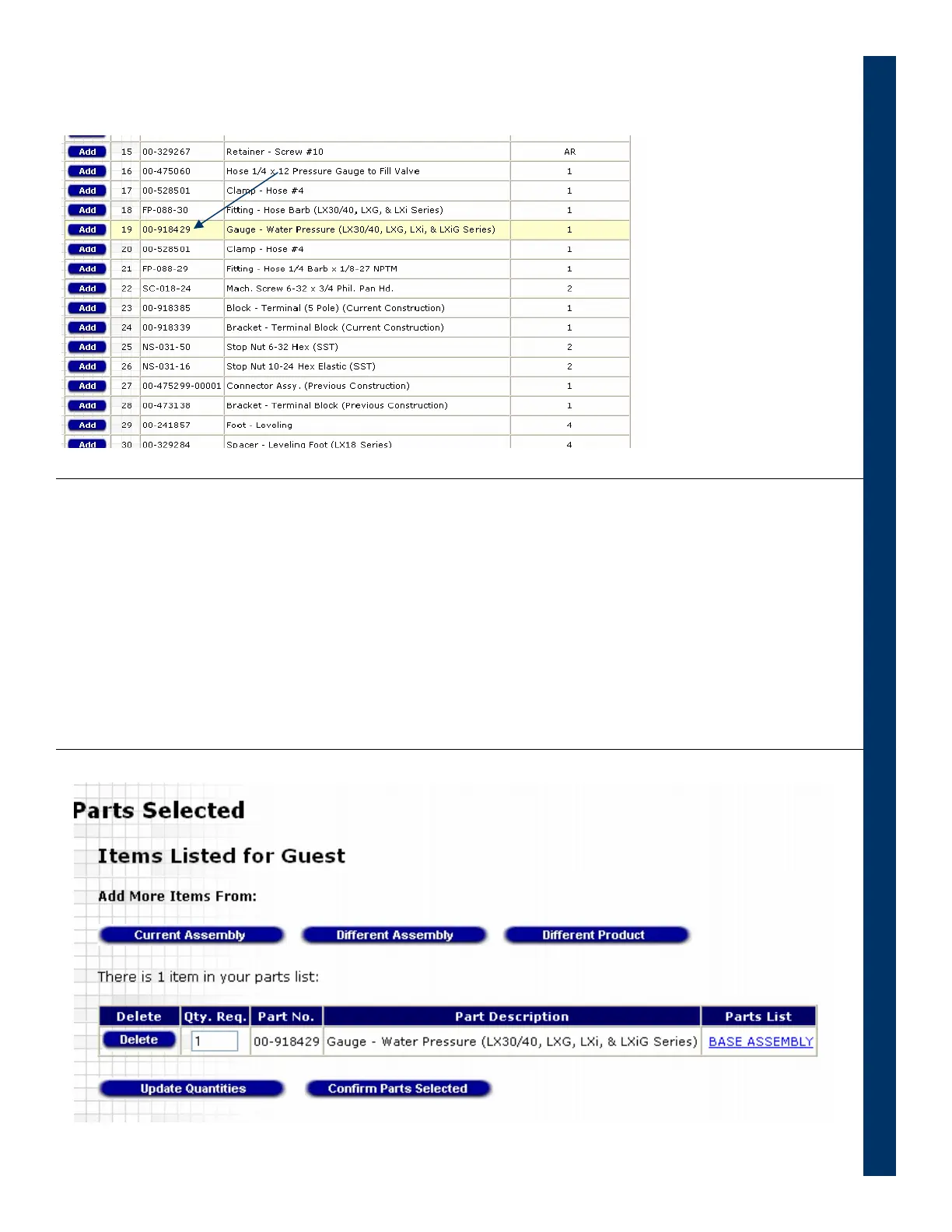
• Selecting the part on the figure causes the part to be highlighted on the parts list
• Click on the Add button to add the part to the shopping cart
• You can add more parts or change the quantity of the parts already in the cart
• When finished, click on the Confirm Parts Selected and then on Print Parts List if
you want to print
Section 1 – If Equipment ML Number is known
Use SMARTPARTS Now
2912 Slicer Technical Manual Page 67 of 72


 To Next Page
 Loading...