07
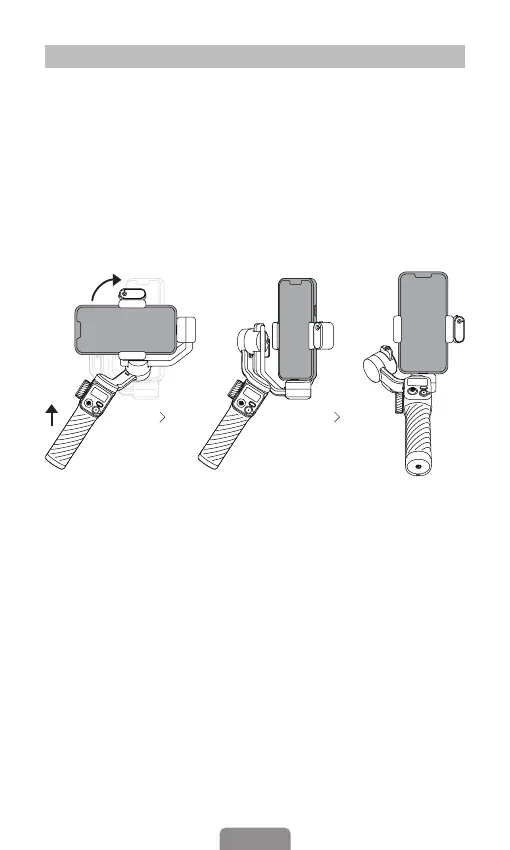
Quick Switch to Portrait Mode
Switch to portrait mode by rotating the handle as shown in the
image below and then hold the gimbal like a ashlight.
* After switching to portrait mode in this way, the joystick will
only allow your camera to move left or right. Note that the
gimbal should be held horizontally when in quick portrait mode;
It is not available in POV mode.



 To Next Page