17
09 How to Use the APP
How to Connect
1. Power on iSteady M6
2. Turn on Bluetooth on the Mobile Phone
3. Launch the app Hohem Joy and follow the prompts to connect
iSteady M6 device.
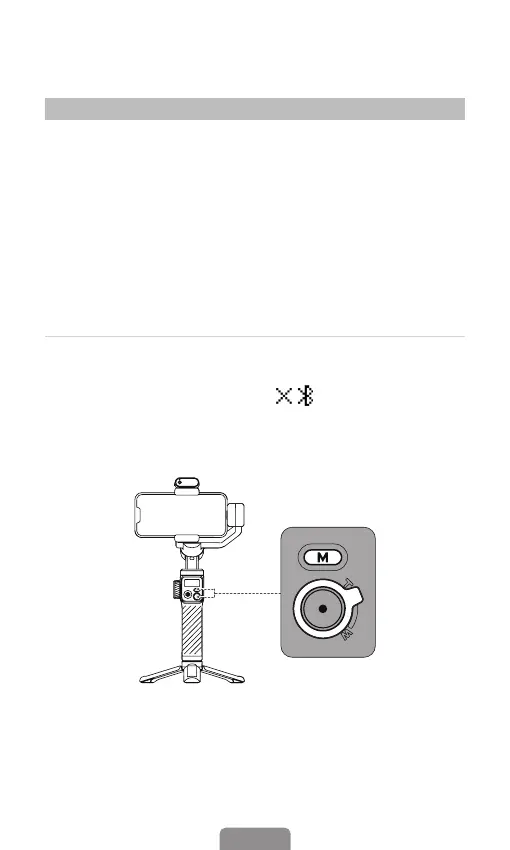
*Gimbal connection troubleshooting: If the gimbal device
cannot be searched or has been paired with another mobile
phone, please delete all the Bluetooth information and try to
pair again.
Long-pressing the M button for ve seconds while
simultaneously pushing up on the Zoom lever. If the Bluetooth
symbol on the display changes to " " , it implies that
the paired device has been cleared. If you want to add another
device, just repeat the procedures above.



 To Next Page