09
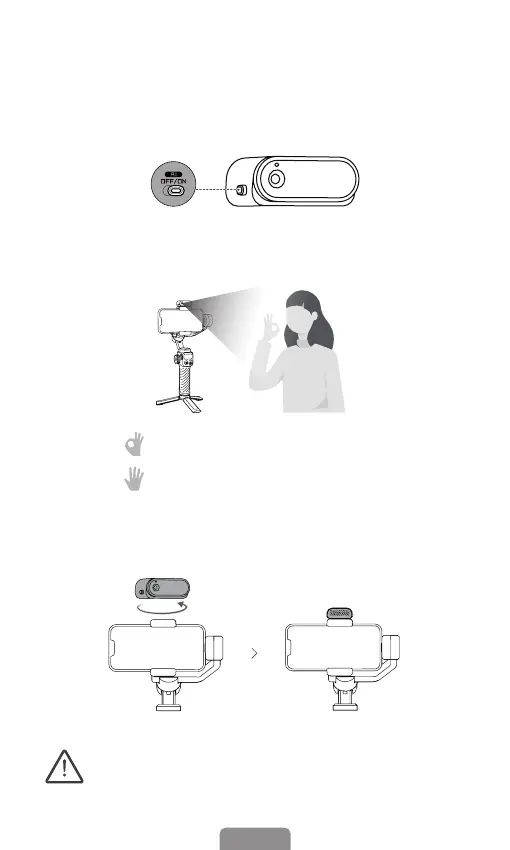
06 How to Enable the AI Tracking
1. Enable the AI vision sensor: Switch to "ON".
(Indicator light turns red with ll light ashing twice.)
2. Gesture Control: Show gestures to the AI vision sensor from
0.5~1.5m (1.64ft-4.92ft) away.
3. Gesture " " to start the AI tracking (Indicator light turns green).
4. Gesture " " to stop the AI tracking (Indicator light turns red).
5. AI tracking for front/rear camera: For front camera tracking, align
the magnetic AI vision sensor with the phone screen. Place the
vision sensor in the opposite direction for rear camera tracking.
It is completely normal for the magnetic alignment to
become hot when the ll light is in use and hence, it is
advisable NOT to make a direct contact with the hot
alignment, especially the metallic part.
* AI vision sensor sold separately



 To Next Page