03
03 Battery and Charging
For smartphone
charging when
the gimbal is o,
please press the
power button
once to start
charging.
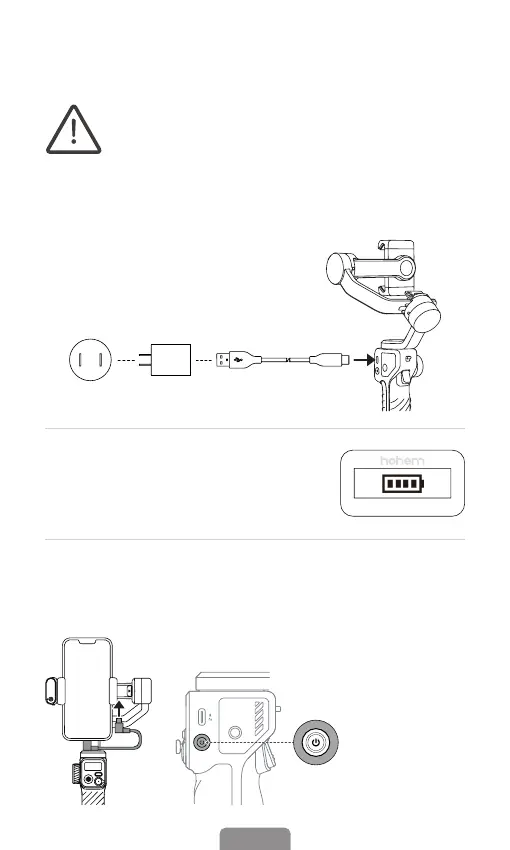
Charging Method:To charge the iSteady M6, connect a USB
adapter (not included, choose 5V-2A for better results) into the
charging port with the provided USB-C charging cable.
Please fully charge the iSteady M6 before using it for
the rst time.
Power
Button
Charging Display: The battery is fully
charged when the battery levels reach
the highest point as shown on the OLED
display.
Reverse Charging (DC out charging for smartphones)
Android: Charging with the provided USB-C to USB-C cable.
iOS: Charging with USB-C to Lightning cable (Not Included).



 To Next Page