08
Powering On & Standby
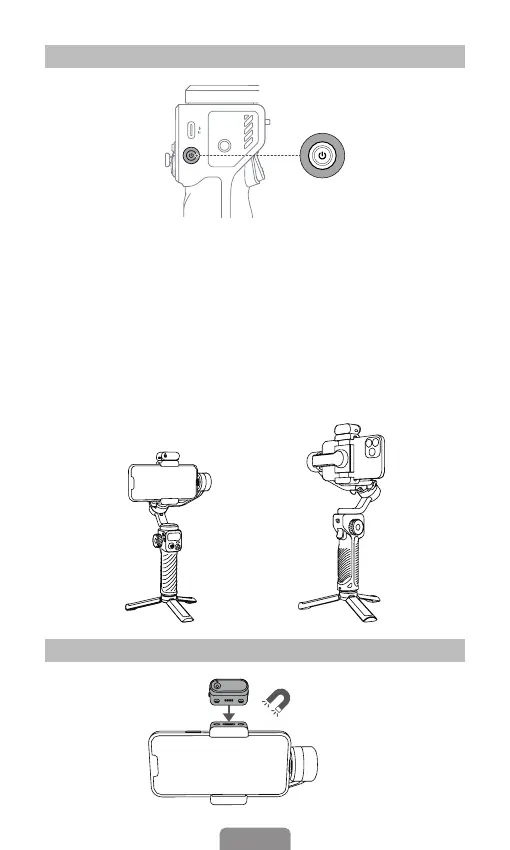
Power Button
Installing Magnetic AI Vision Sensor
* Sold separately
Magnetic Installation
❶
❷
1. Press and hold for 3 seconds - Power on/o
2. When Powered On
Press twice: Enter the standby mode
Press once: Wake up the gimbal
3. Ultra-Wide-Angle Shot
Default mode as shown in the image 1: There's no obstruction
in front of phone screen.
Ultra-wide-angle shot mode as shown in the image 2: Switch to
this mode by pressing trigger four times and the roll motor will
be in front of phone screen for capturing unobstructed views.



 To Next Page