04
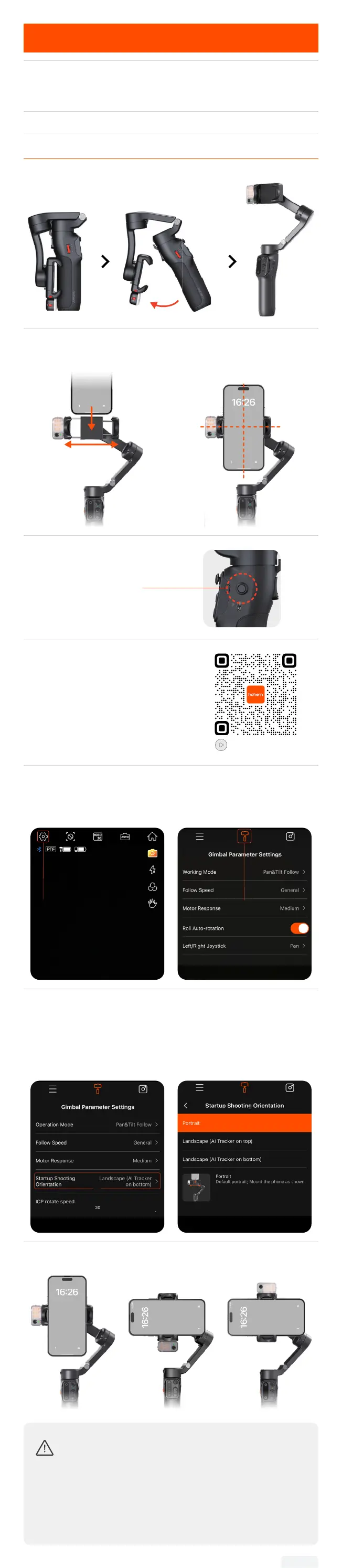
Unfolding & Folding
Compatible Smartphones
(≤ 7 inches)
Weight ≤ 300g
Width: 58–98mm
Thickness ≤ 12.5 mm
*Not compatible with Xiaomi 11 Ultra/12S Ultra/13 Ultra/14 Ultra.
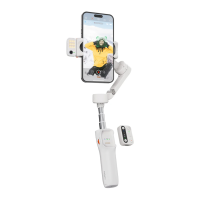
Unfolding & Mounting
① Pull the arm as shown.
② Stretch the phone clamp to adapt to your smartphone's width
and attach it to the center of the phone.
③ Press and hold -
Power on/o
To set the default orientation for
your smartphone upon startup
with the iSteady V3:
*Ensure that the gimbal's Bluetooth
is connected to your smartphone.
For a detail explanation, please check
Bluetooth Connection.
Tutorial Video
① Open the Hohem Joy App
on your smartphone. Tap
"Settings".
①
② Tap to "Gimbal Parameter
Settings".
②
③ Select "Startup Shooting
Orientation".
③
④ Once selected, the gimbal
will synchronize to the chosen
state. The next time the gimbal
is powered on, it will default to
this selected orientation.
Portrait Landscape
(AI Tracker on bottom)
Landscape
(AI Tracker on top)
•Do not power on the gimbal without mounting a phone.
•If the phone is not centered during startup, it will
reduce the gimbal's battery life. The gimbal will
automatically enter standby mode if it detects no load
or severe imbalance.
•When using the gimbal, avoid touching the pogo pins
with your ngers to prevent poor contact.


 To Next Page