Operation C250 ... C370
114 Translation of Original Operating Manual 156319-04
Brakes
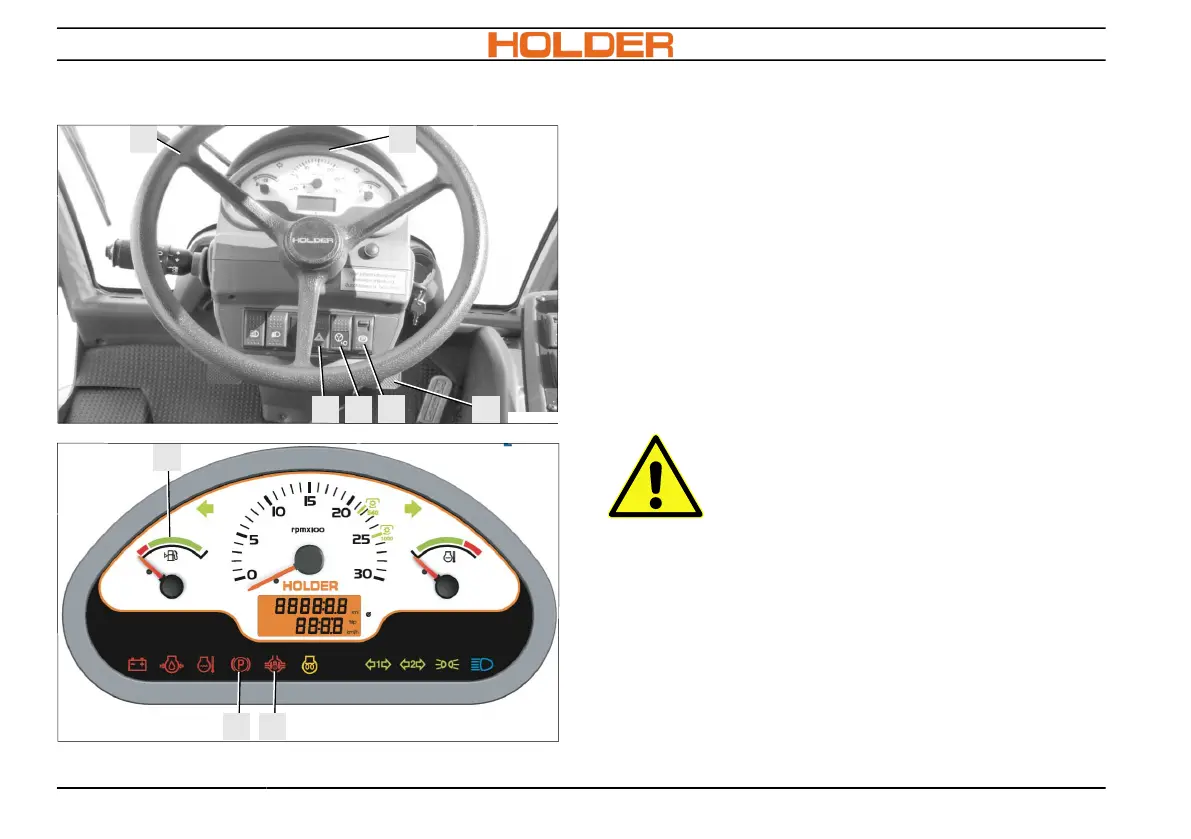
The service brake (9) is a drum brake in the front
axle and is hydraulically actuated; the parking
brake is actuated with an electrical cylinder via the
parking brake switch (10).
Actuating the service brake
1. Depress the brake pedal (9) with your right
foot and appropriate pedal pressure.
2. Remove foot from brake pedal (9) and the
service brake is released.
Set the parking brake
CAUTION
Danger of accident
•
Use the parking brake only for
parking
•
Do not use the parking brake for
braking while moving
1. Unlock the lock on the parking brake switch
(10) and actuate the switch. The parking
brake is engaged; the indicator light in the
switch (10) and the parked indicator light
(13) in the multifunction display light up.



 To Next Page