
 Need help?
Do you have a question about the Holley EFI 553-106 and is the answer not in the manual?
Describes the 4-pin Mizu-P25 connector for main power and Holley EFI communications.
Details the two USB Type-A receptacles for data logs, firmware, and peripherals.
Details the CAN adapter harness for connecting to switched +12V ignition power.
Describes the supplied 4' CAN extension harness and replacement options.
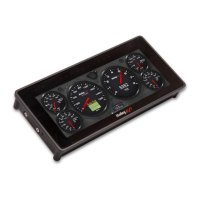
Details two methods for quickly saving a gauge screen layout.
Explains the export function for renaming and saving layouts internally or to USB.
Steps to add a gauge to a custom layout by selecting value and type.
Process for moving and modifying visual properties of a gauge in customize mode.
 General
| Brand | Holley |
|---|---|
| Model | EFI 553-106 |
| Category | Automobile Accessories |
| Language | English |









 To Next Page