23
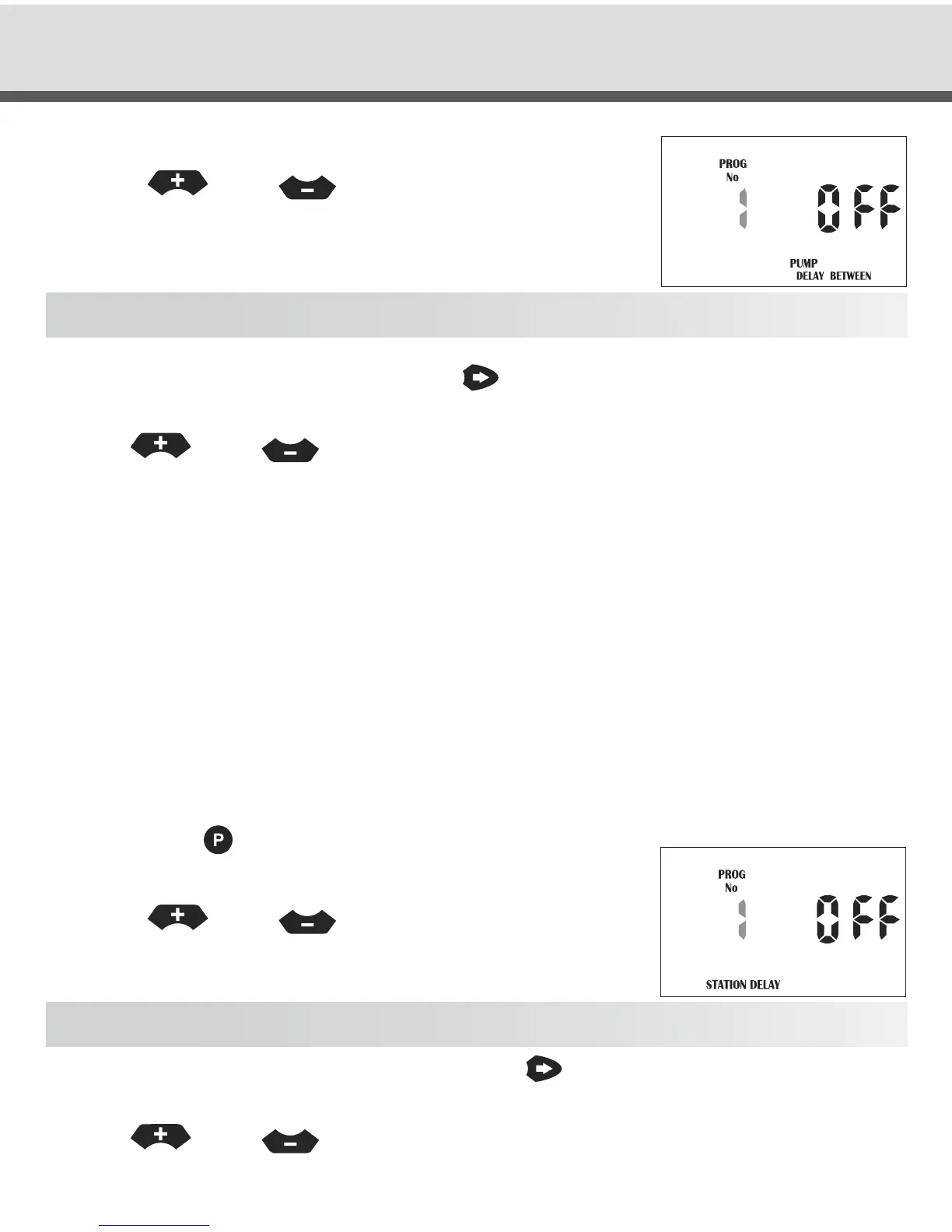
The display will show:
Press the
or the
buttons to increment or
decrement the program number to apply the pressure
build time too.
NOTE: each program can have its own pressure build time programmed.
To alter the pressure build time press the
button. The delay time is set to “OFF”
and will now flash for the selected program number.
Use the
or the
buttons to increment or decrement the delay time
seconds.
This value can be anything from OFF to 99 secs.
Water Hammer Saver
The water hammer system is used to stop fast valve closures causing water hammer
and damaging pumps and pipe work.
This facility allows the overlap of valves for a specified time between valve changes.
For example the system is changing from valve one to valve two.
1. Valve one is open 4. When time elapses valve one closes
2. Valve two opens 5. Valve two now runs for its specified run time.
3. Time delay counts down
To access the water hammer feature, turn the dial to the “Set Auxiliaries” position.
Then press the
button till the following display appears.
Program No 1 will be flashing. The display will show:
Press the
or the
buttons to increment or
decrement the program number to apply the water
hammer delay time.
NOTE: Each program can have its own delay time programmed.
To alter the water hammer delay time press the
button. The delay time is set to
“OFF” and will now flash for the selected program number.
Use the
or the
buttons to increment or decrement the delay time
seconds. This value can be anything from OFF to 99 secs.
SPECIAL FUNCTIONS



 To Next Page