16
OTHER FEATURES
Stop Watering
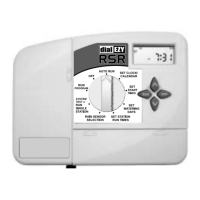
To stop an automatic or manual watering schedule, turn the dial to the “OFF”
position.
NOTE: For automatic watering remember to turn the dial back to the “Auto Run”
position, as “OFF” will stop any future watering cycles from occurring.
Stacking Start Times
Should you accidentally set the same watering start time on more than one program,
the controller will “stack” them in sequential order. All programmed start times will be
watered from the highest number first.
Automatic Backup
This product is fitted with permanent memory. This allows the controller to hold all
stowed values even in the absence of power sources, which means that programmed
information will never be lost. Fitting the 9 volt block battery will keep the real time
clock running during power outages. However, if the battery is not fitted the real time
clock is backed up every 10 minutes to the non volatile memory. This means that
when the power returns the clock will be restored to its last known value.
It is recommended that a battery is fitted and it is changed every 12 months.
A low battery icon will light when the battery has a week left to run. When this occurs,
replace the battery as soon as possible so that the clock is maintained correctly
during power failures.



 To Next Page